Use cases
Ways to use MemberMaker
Welcome visitors, record attendance, and collect the details your organization needs. Find a workflow that fits the way you bring people together.
Already know what you need? Read the setup guide →
Offices, reception desks & showrooms
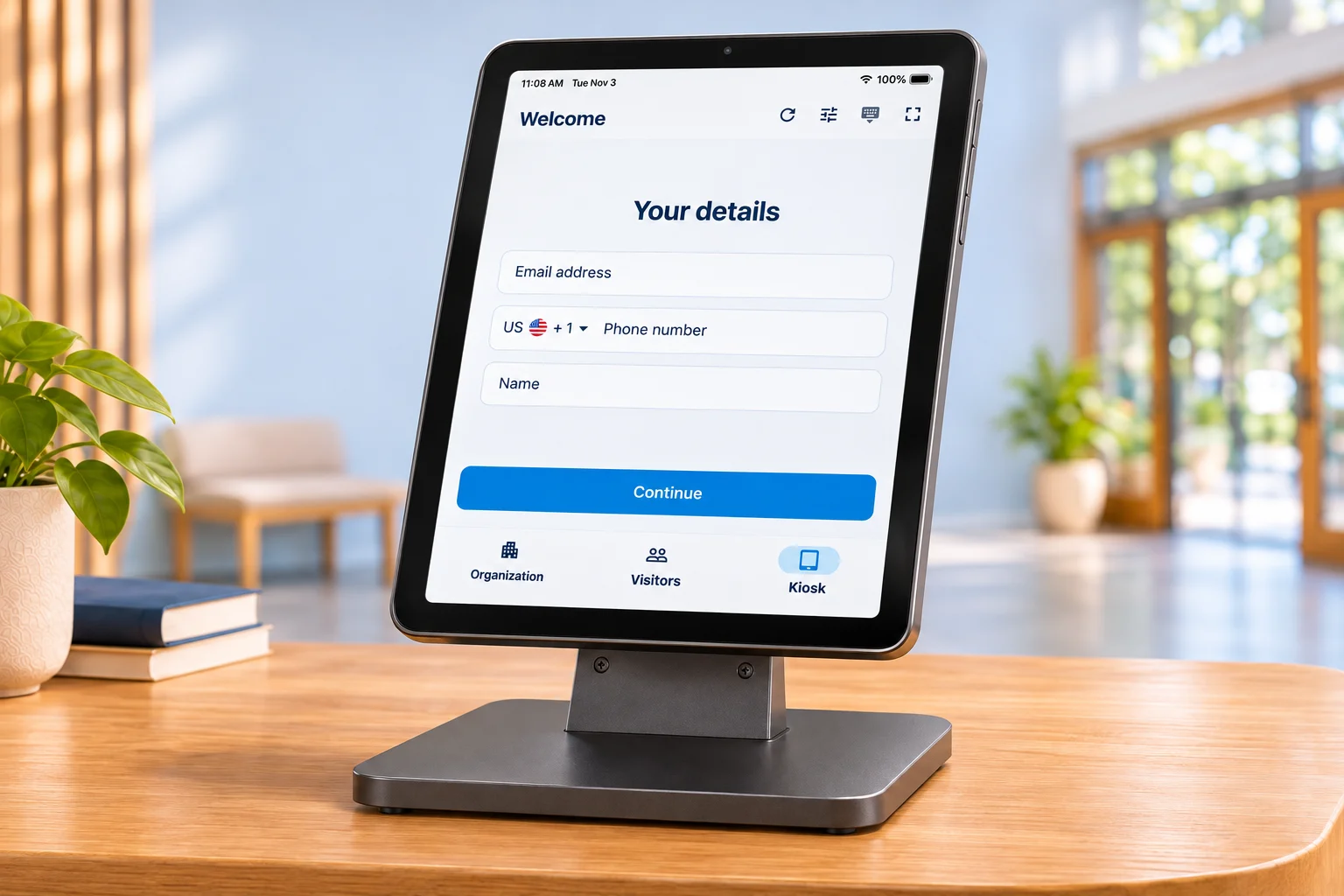
Welcome visitors
Give visitors a clear place to sign in. Collect their contact details and the reason for their visit, then keep a readable record for your team.
- Set up a tablet at reception.
- Ask for visitor details and relevant follow-up questions.
- Review visits and export answers for follow-up.
Related guides28 guides
Setup & visitor questions
- Visitor check-in with conditional logicBranch custom questions by answer, ask relevant follow-ups, and return to shared questions.
- Visitor sign-in appSee the guided guest check-in experience and core MemberMaker capabilities.
- Visitor sign-in and sign-out appTrack guest arrivals, optional departures, current status, and visit duration from the same kiosk.
- Customizable visitor sign-in kioskBuild reusable prompt groups with custom questions, seven answer types, required fields, and different forms for each event.
- Implementation guideSet up a phone or tablet check-in station and test the complete visitor flow.
- Digital visitor log bookCompare a digital guest record with paper sign-in sheets and handwritten visitor books.
- Frequently asked questionsReview device support, visitor records, repeat visits, export, and product limitations.
Devices & front-desk setups
- Visitor management for small businessA focused visitor system for teams that do not need enterprise workplace software.
- Visitor management for mid-sized enterprisesCoordinate visitor sign-in, optional checkout, live activity, and separate locations without a security-platform rollout.
- Simple visitor management softwareKeep guided sign-in, visit records, and export without unnecessary machinery.
- Front desk sign-in appCreate a clear visitor arrival point on a phone or tablet at reception.
- iPad sign-in sheet appReplace a clipboard with a guided self-service iPad station.
- Free visitor sign-in app for iPadLearn how to start a focused visitor kiosk on an iPad you already own.
- Android visitor sign-in appUse a supported Android phone or tablet for portable guest check-in.
Offices, showrooms & lead capture
- Office visitor check-in appCreate custom arrival flows for clients, candidates, vendors, contractors, and deliveries.
- Professional office visitor sign-inReplace reception clipboards at accounting, legal, insurance, consulting, and administrative offices.
- Showroom visitor sign-inCapture interests and requested follow-up at showrooms, design centers, and sales offices.
- Trade-show lead captureCollect qualified booth leads offline and export a clean CSV after the event.
- Networking event sign-inBuild a reusable attendee and follow-up list for business meetups and referral groups.
Visitor form templates
More check-in workflows
Compare your options
- Sign In App alternativeCompare simple visitor and family attendance with workplace sign-in requirements.
- Free visitor check-in kiosk appCompare introductory check-in access and subscriptions with workplace platforms.
- Free Envoy alternativeCompare MemberMaker with Envoy's limited free tier and paid workplace features.
- Free SwipedOn alternativeUnderstand the SwipedOn transition and compare the current Sign In App platform.
- Free Greetly alternativeCompare focused check-in with Greetly's reception and host workflows.
- Free Receptionist for iPad alternativeCompare MemberMaker with The Receptionist, now Sign In App.
Local gatherings, online events & open houses
Run events
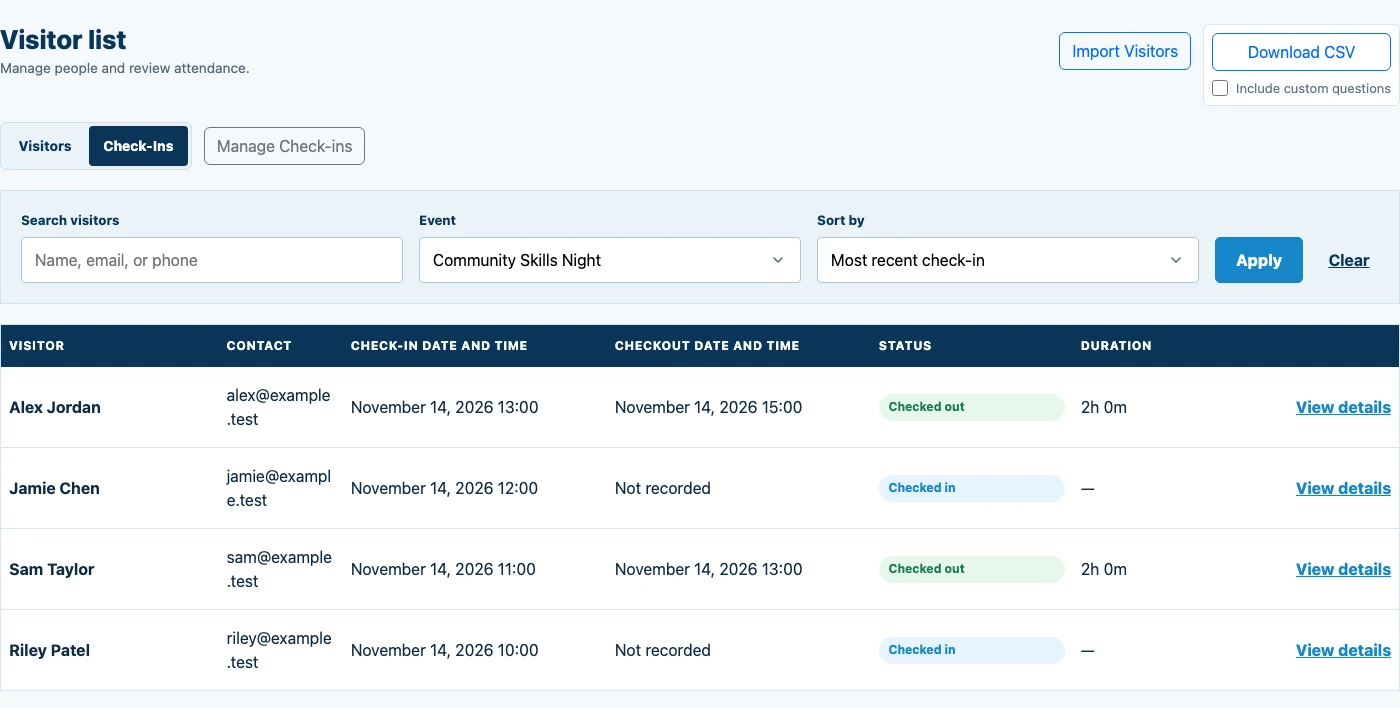
Keep arrivals connected to the right event. Welcome people at a shared kiosk, let them scan a QR code, or share a check-in link during an online gathering.
- Create an event and prepare its check-in experience.
- Welcome attendees on a tablet or share a browser check-in link.
- Review the event’s attendance and any recorded departures.
Related guides10 guides
In-person, QR & virtual events
- QR code sign-inPrint a check-in QR code for your business, classes, or events, or email it to your visitors.
- Virtual event check-inEmail an attendance link or share it in the chat for your next online event.
- Event check-in appRun portable self-service check-in for one-night and recurring local events.
- Free guest list appRecord event arrivals and export a guest list; start with an introductory check-in allowance.
- Workshop attendance appRecord participants at classes, training sessions, and community education programs.
- Open house sign-in appCapture readable visitor contact details at properties, schools, studios, and facilities.
- Open mic guest sign-in appCapture audience contact details at open mic nights hosted by bars, clubs, restaurants, cafes, and other venues.
Event form templates
Checkout & departures
Weekly classes, workshops & recurring sessions
Track classes and programs
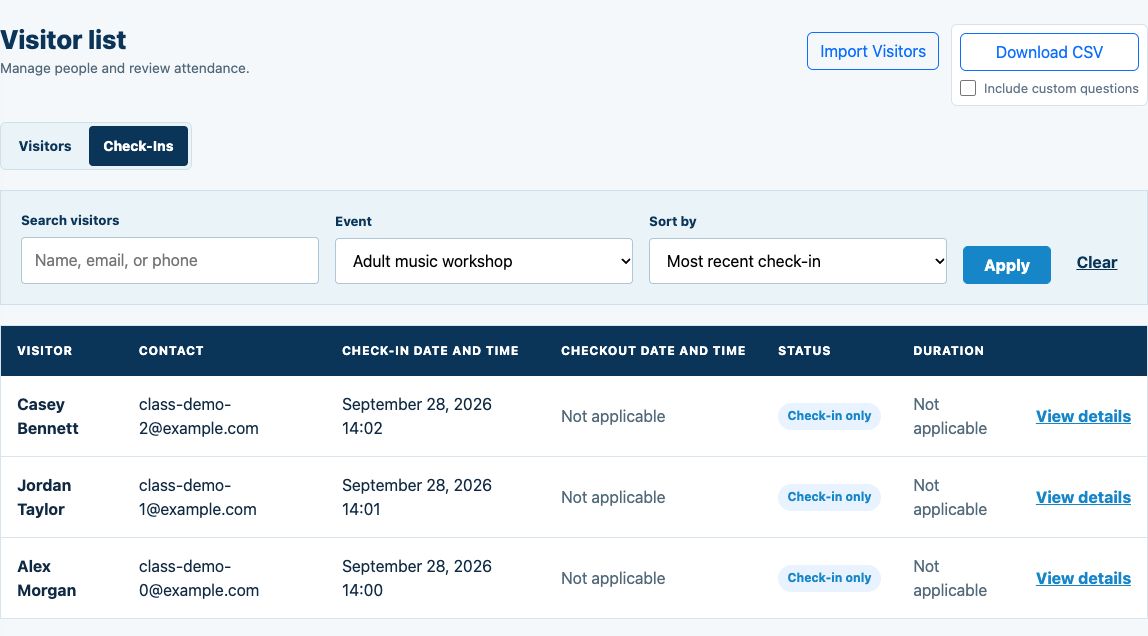
Keep reserved places and recorded attendance clear. Use class bookings for recurring sessions, or record arrivals for a workshop or program without taking reservations.
- Create an event, or schedule recurring classes with a capacity.
- For booked classes, participants confirm their places by email.
- Record arrivals and review who attended each session.
Related guides12 guides
Classes, lessons & attendance
- Class Attendance App for In-Person and Online ClassesCompare confirmed reservations with recorded class attendance. Use recurring sessions, browser bookings, and session rosters to see who booked, attended, or missed class.
- Martial Arts Class Attendance AppRecord karate and dojo attendance by practice session. Welcome returning students, review who attended, and export check-in records.
- Dance Class Attendance App for Adult Ballet and WorkshopsWelcome dancers without passing a clipboard around the studio. Connect check-ins to an adult ballet class, rehearsal, or workshop, and keep returning dancers in one visitor list.
- Music Class Attendance TrackingRecord attendance for group music lessons, ensemble rehearsals, and workshops. Recognize returning musicians and export each session’s check-ins.
- Art Class Attendance App for Pottery and Enrichment ClassesGive adult pottery, painting, craft, and community enrichment classes a simple arrival record. Welcome regulars and new participants, then review check-ins for the session you taught.
- ESL Class Attendance TrackingTrack attendance for adult ESL classes and English conversation groups. Welcome returning learners, review each session, and export check-in records.
- Online Class Attendance with Event-Specific Check-In LinksShare a browser check-in link during your live class. Associate the link with an event so recorded check-ins stay connected to that session, alongside any in-person attendance.
- Karate Attendance Sheet Template for Adult ClassesPrint a session sheet for an adult class or seminar. Record arrivals, then explore event-specific digital check-in when you are ready to stop transcribing paper lists.
- Dance Class Attendance Sheet Template for Adult StudiosUse a clean sign-in sheet for an adult ballet class, dance workshop, or rehearsal. Keep one sheet per session, with enough room for names and arrival times.
- How to Track Attendance for Online Music ClassesPrepare a session-specific link before teaching, share it at the start of the lesson, and review the recorded check-ins afterward. Participants use their browser.
Classes & reservations
Workshop form template
Churches, children’s programs & family activities
Welcome families and groups
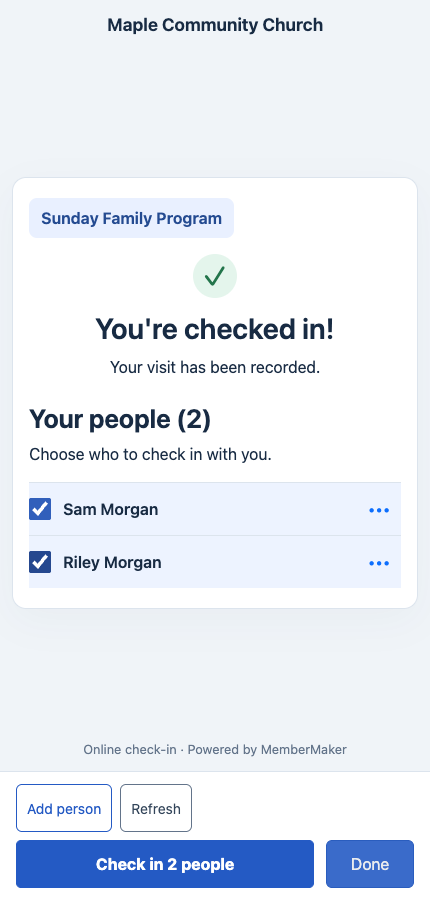
Let a parent or group leader check in first, then select the people arriving with them. Save linked people and record each person’s attendance at the same event.
- Enable group check-in for your arrival flow.
- The primary visitor checks in and selects saved people or adds names.
- Review a separate attendance record for everyone who arrived.
Related guides10 guides
Family & group attendance
- Group & Family Check-In AppSimplify family and group check-in with saved people, name-only additions, and separate attendance records. Use an app kiosk or a web/QR check-in link.
- Church Children's Check-In & Family AttendanceTrack family attendance at church children's programs. Parents check in first, then select saved children or add them by name without an email or phone.
- Sunday School Attendance App for FamiliesKeep Sunday school family attendance organized with saved children, separate visit records, and app or web check-in. Start with the parent’s check-in.
- VBS Check-In Guide for Family AttendanceA practical VBS family check-in guide: prepare daily events, welcome returning families, and record individual attendance with name-only child profiles.
- Family Event Check-In for Community ProgramsCheck families and friends into community events with saved people and individual attendance records. Offer a shared kiosk or mobile web/QR check-in.
- Parent & Child Class Check-In and AttendanceTrack attendance at parent-and-child music, art, movement, and play sessions. Save linked children by name and record each participant at the same event.
Church welcome & ministry
- Church visitor check-in appWelcome visitors and families, save children by name, and record individual attendance.
- Digital church connection cardBuild a focused guest card with contact permission, interests, and optional prayer requests.
- Church welcome table checklistPrepare the device, signage, volunteers, accessibility, and post-service handoff.
- Church visitor follow-up checklistCreate an owned, permission-aware next step after a guest signs in.
Service activities, clubs & community organizations
Track volunteers and community attendance
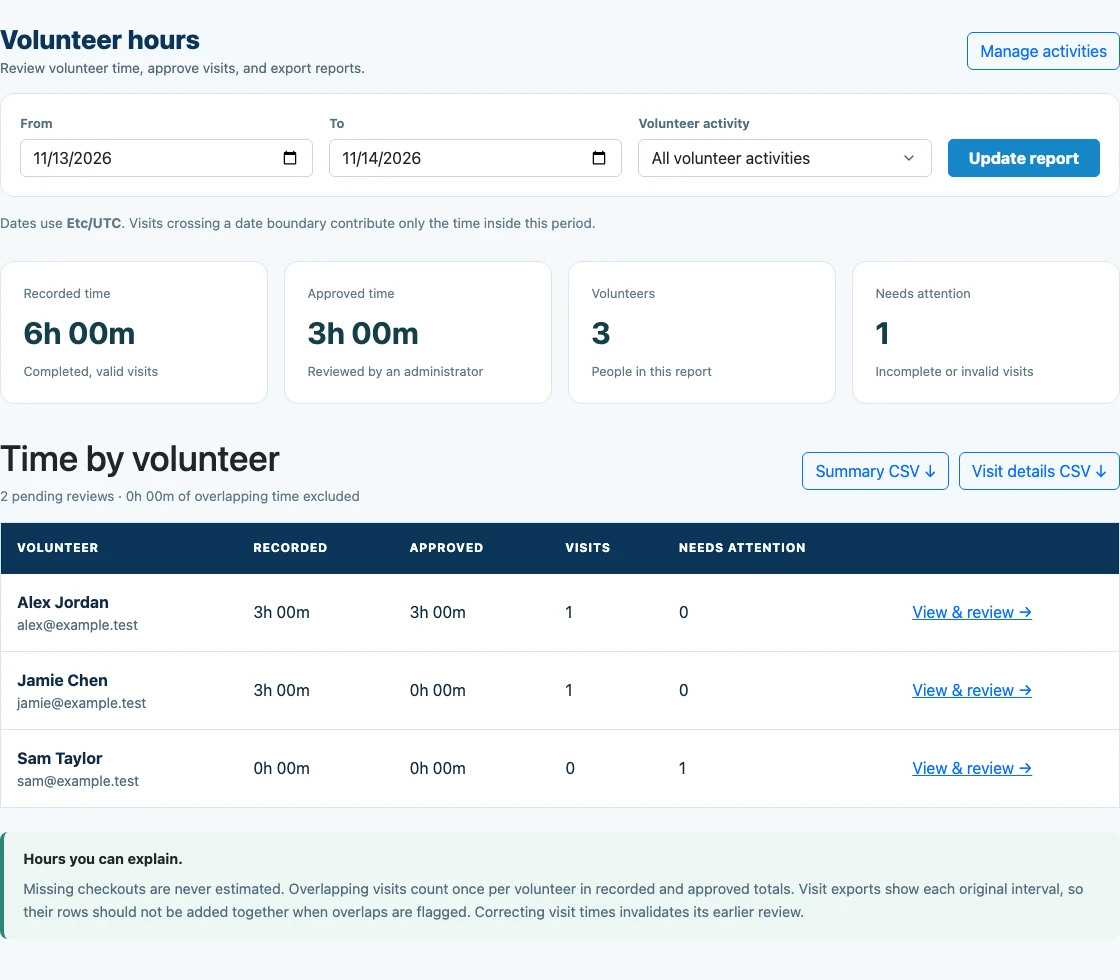
Record who came to your program. For volunteer activities, use check-in and checkout times to review service hours and export the reports your organization needs.
- Create an event; mark it as a volunteer activity when tracking service hours.
- Record arrivals and departures for time-based reporting.
- Review completed volunteer visits, approve hours, and export a report.
Related guides8 guides
Clubs, volunteers & community programs
- Nonprofit and service-club sign-inTrack visitors and recurring attendance for Rotary, Lions, Kiwanis, and local service groups.
- Volunteer check-in appRecord volunteer arrivals at food banks, fundraisers, cleanups, shelters, and festivals.
- Community center sign-in appSupport recreation programs, senior activities, classes, and neighborhood events.
- Senior sign-in kioskMake digital check-in approachable for older adults and technology-shy visitors.
- Campus club sign-in appTrack student organization meetings, recruitment tables, and campus activities.
- Political club sign-in appKeep a cleaner attendance and contact list for local civic and political groups.
Volunteer hours & reports
Volunteer form template
Your next step
Ready to set up visitor check-in?
Create your organization and prepare your first check-in experience in the web dashboard.