Keep a front-desk form, event questionnaire, volunteer flow, or check-in-only experience ready to use.
Student organization check-in
Campus club sign in app for student org meetings, recruitment, and events
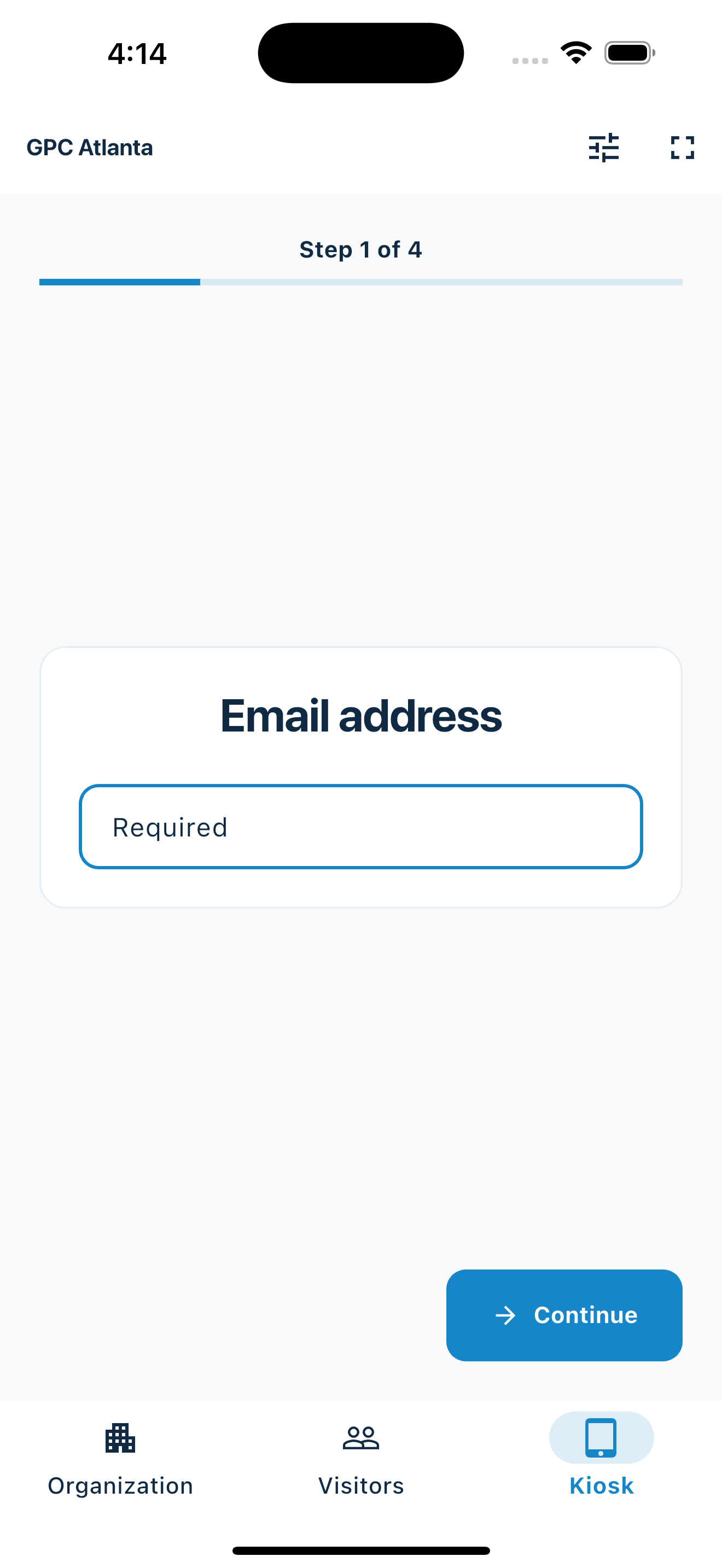
MemberMaker turns an iPhone or iPad into a simple sign-in kiosk for campus clubs, student organizations, Greek life groups, academic societies, volunteer clubs, and university events. Collect names, emails, and phone numbers without relying on a paper signup sheet at the meeting table.
- Works on iPhone and iPad
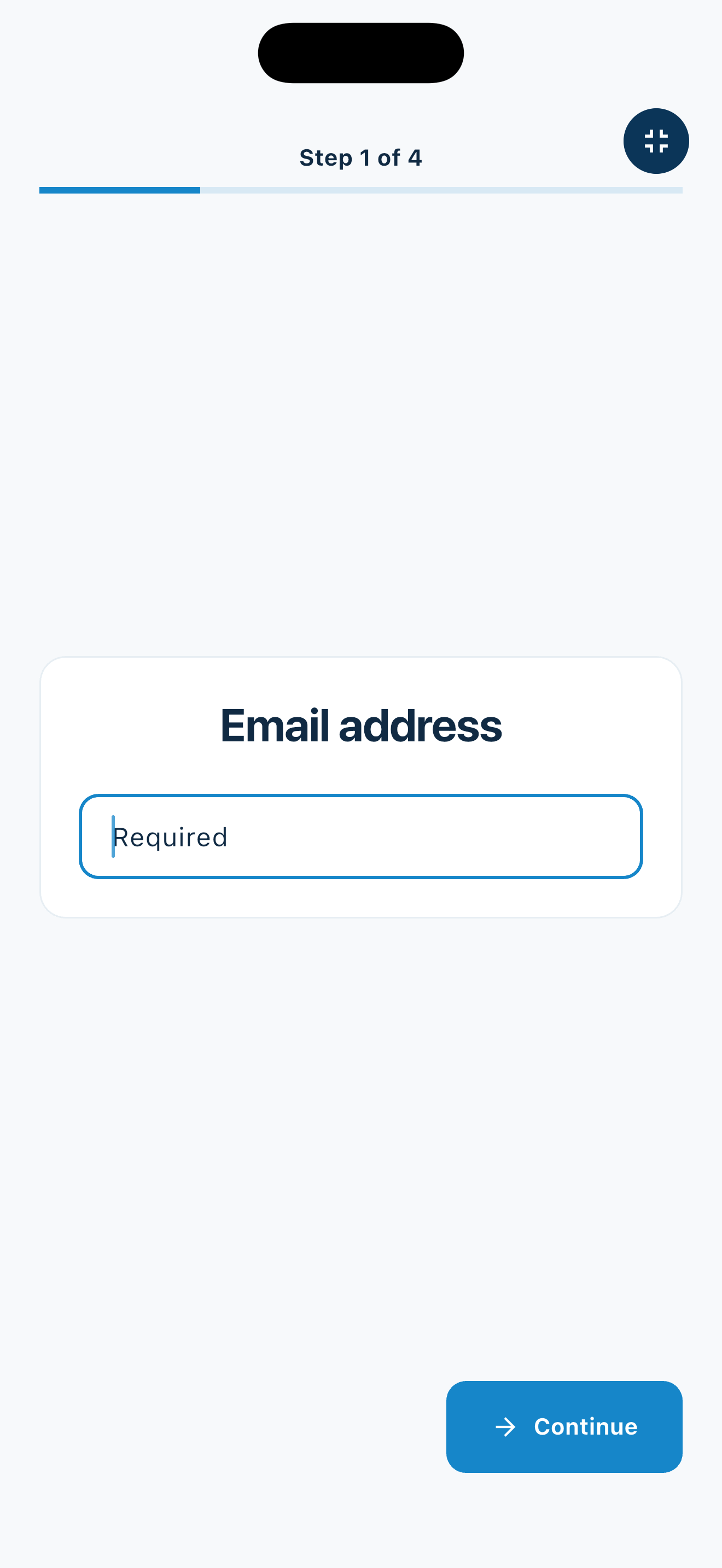
- Fullscreen kiosk mode for self-service student sign-in
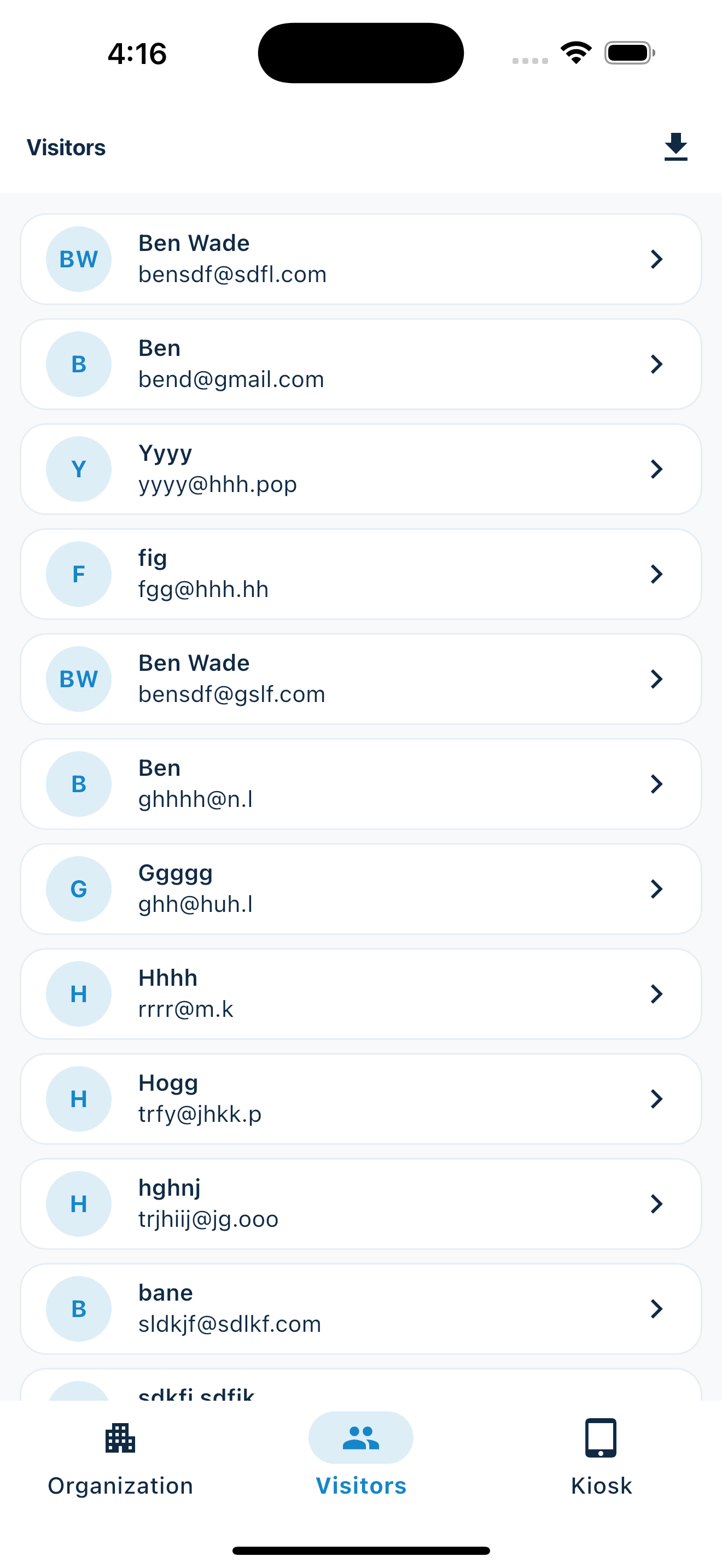
- Export attendance and interest lists to CSV
Built for busy club officers
Replace the campus clipboard with a cleaner club attendance list
Student organizations move quickly. Officers are setting up rooms, greeting new people, coordinating food, running presentations, and trying to remember who attended. Paper signup sheets are easy to start, but they often leave you with unreadable names, missing emails, and a spreadsheet job after every meeting.
Put MemberMaker at the front table, club fair booth, lecture hall entrance, or event check-in station. Students sign themselves in, and your officers get a digital list for attendance, recruitment, and follow-up.
Weekly club meetings
Track attendance for general body meetings, officer meetings, speaker nights, workshops, and recurring campus events.
Club fairs and recruitment
Collect interest from students at involvement fairs, tabling days, rush events, info sessions, and welcome week activities.
Volunteer and service events
Build a clean record from service days, fundraisers, campus drives, community projects, and partner events.
Follow up before students forget
Turn campus sign-ins into a useful member and interest list
The first follow-up after a meeting or club fair matters. MemberMaker keeps the list digital from the start, so your president, secretary, recruitment chair, or event lead can export contacts and reach out while interest is still fresh.
- Collect student names, email addresses, and phone numbers
- Track repeat attendees and prospective members
- Export CSV files for spreadsheets and officer records
- Use one check-in flow for meetings, tabling, and events
- Run sign-in from a phone or tablet your club already has
Good fit for campus organizations
MemberMaker is useful for student groups that need a practical sign-in process without a heavy event platform.
- Academic clubs and honor societies
- Cultural, identity, and affinity organizations
- Greek life chapters and interest groups
- Political, service, and advocacy clubs
- Sports clubs, arts groups, and hobby organizations
What it helps officers avoid
A simple digital kiosk keeps the student sign-in process familiar while helping officers manage attendance and outreach with less cleanup.
- Hard-to-read paper signup sheets
- Missing student emails and phone numbers
- Manual spreadsheet entry after meetings
- Lost club fair interest sheets
- Slow follow-up with prospective members
Frequently asked questions
Can we use this at a club fair?
Yes. Put the device at your table so interested students can sign in while officers talk with people in person.
Can members and guests use the same form?
Yes. MemberMaker works as one simple sign-in station for members, prospective members, event guests, and volunteers.
Can we export attendance after a meeting?
Yes. Export contacts to CSV when your officers want to update a spreadsheet, track attendance, or send a follow-up message.
Do we need university software access?
No. MemberMaker runs on an iPhone or iPad, so a club can use it without waiting for a campus-wide system.
Your web dashboard and kiosk app
Manage online. Check in on your tablet.
1. Set up your web dashboard
Create your organization, build and publish kiosk questions, choose required fields, and configure identification and optional checkout. Apply a published question group to your organization’s kiosks from the dashboard.
Create a web account2. Download the app when your kiosk is ready
Install MemberMaker on your iPad or Android tablet, sign in to the same account, and select your organization. Open fullscreen mode so visitors can check in at your table or entrance.


3. See live sign-ins in your browser
Keep the dashboard open to see arrivals and departures update automatically. Review visitor history, answers, and checkout status, then export records when you need them.

Customizable visitor sign-in kiosk
Build the right sign-in flow, then put it on the right kiosks
Create reusable prompt groups for different entrances, events, programs, or visitor types. Add custom questions, choose required fields and answer types, then apply the published form to this device or every kiosk in the organization.
- Short text
- Long text
- Yes / No
- Single choice
- Multiple choice
- Number
- Date



Mix text, Yes or No, single choice, multiple choice, number, and date questions in the same group.
Change only the device in your hand or apply one published experience throughout the organization.
Published forms download to the device so visitor sign-in can continue without a connection.
Make your next campus club event easier to track
Set up MemberMaker at your next club meeting, involvement fair, tabling event, volunteer day, or recruitment night and give your officers a cleaner list for attendance and follow-up.
Set up your questions and kiosk settings in the web dashboard. See live sign-ins here once your kiosk is running.
Create a web accountReady to set up your kiosk? Download the app and sign in to the same account.