Keep a front-desk form, event questionnaire, volunteer flow, or check-in-only experience ready to use.
Paper visitor book replacement
A digital visitor log book that does more than store handwriting
Replace an electronic visitor log book or paper visitor book with a searchable visitor log app that keeps arrivals, optional departures, status, and duration tied to the right people.
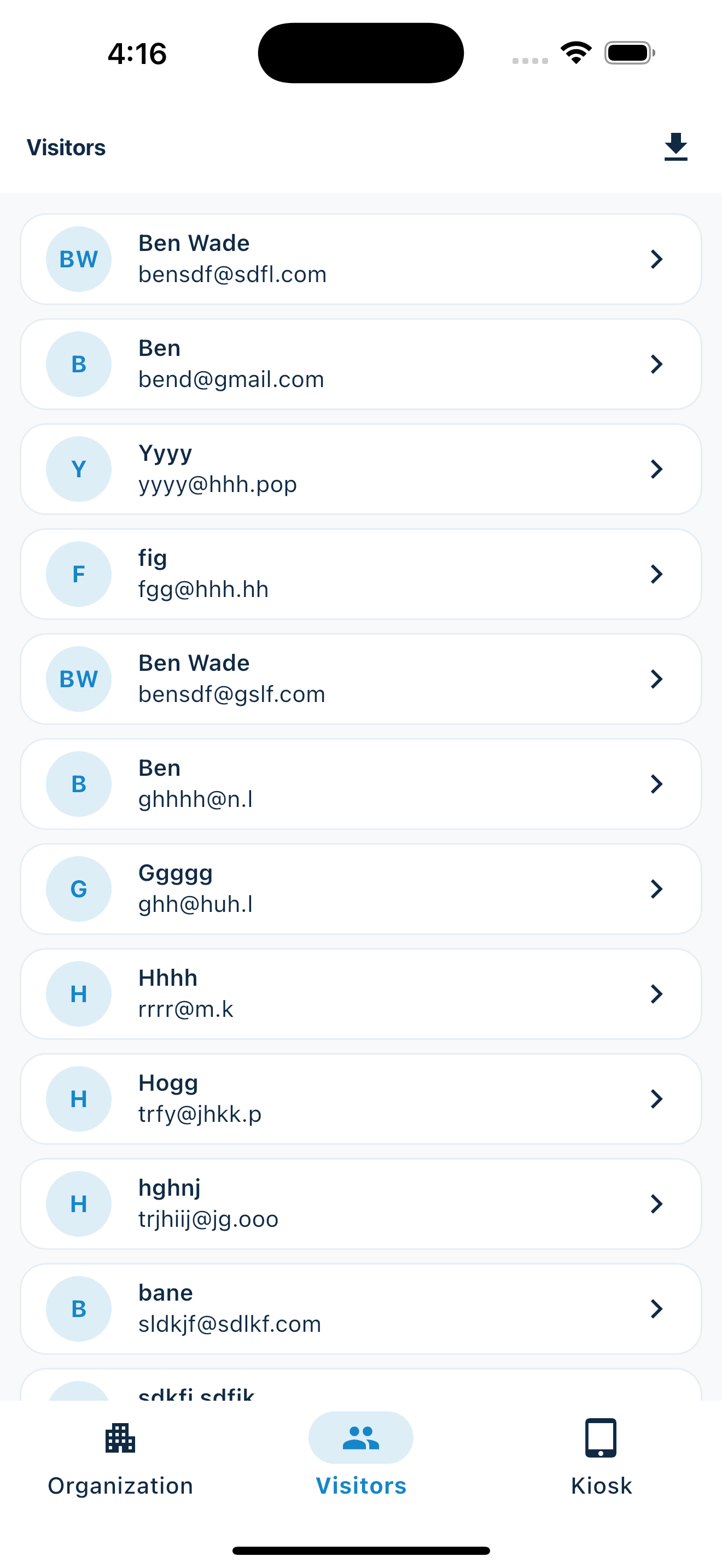
Better records from the first tap
What changes when your visitor log becomes digital
TaskPaper log bookMemberMaker
Capture detailsOpen handwriting and skipped fieldsGuided, validated entry
Find repeat guestsScan pages manuallyVisits stay connected to people
Record departuresAdd another handwritten timeAutomatic visitor checkout with status and duration
Use the listRetype every recordExport to CSV
Useful after the door closes
Turn attendance records into thoughtful follow-up
A visitor log should help your organization remember people, not become a stack of pages in a drawer. MemberMaker keeps the basic details readable and makes repeat attendance easier to see.
- Invite first-time guests to the next gathering
- Review participation across recurring meetings
- Move records into your existing spreadsheet or email workflow
Best for
Clubs, ministries, nonprofits, classes, open houses, workshops, and community programs
If your current process is a clipboard at a folding table, MemberMaker is designed around your reality.
Your web dashboard and kiosk app
Manage online. Check in on your tablet.
1. Set up your web dashboard
Create your organization, build and publish kiosk questions, choose required fields, and configure identification and optional checkout. Apply a published question group to your organization’s kiosks from the dashboard.
Create a web account2. Download the app when your kiosk is ready
Install MemberMaker on your iPad or Android tablet, sign in to the same account, and select your organization. Open fullscreen mode so visitors can check in at your table or entrance.


3. See live sign-ins in your browser
Keep the dashboard open to see arrivals and departures update automatically. Review visitor history, answers, and checkout status, then export records when you need them.

Optional visitor checkout
Know when a visit ends—not only when it starts
Enable checkout for your organization and choose the return window. When an open visitor enters the same email or phone again within that window, MemberMaker checks them out immediately instead of making them repeat their profile and prompts.
- Disabled by default, with a 12-hour default window when enabled
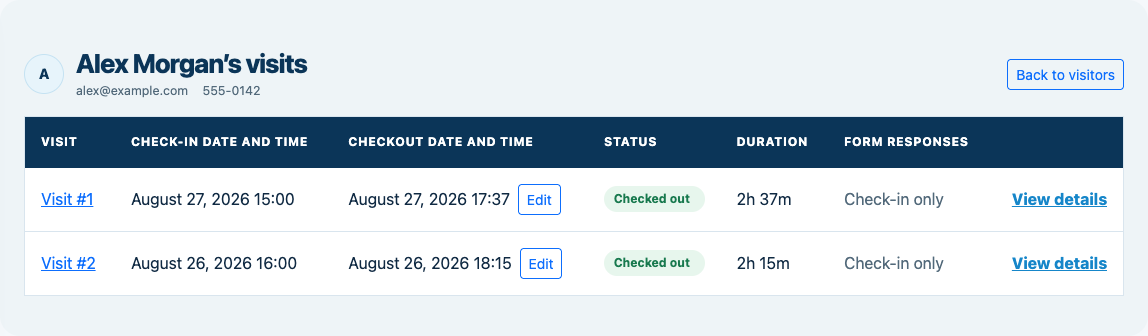
- Live checked-in, checked-out, and checkout-missing statuses
- Checkout times, visit duration, corrections, and CSV export
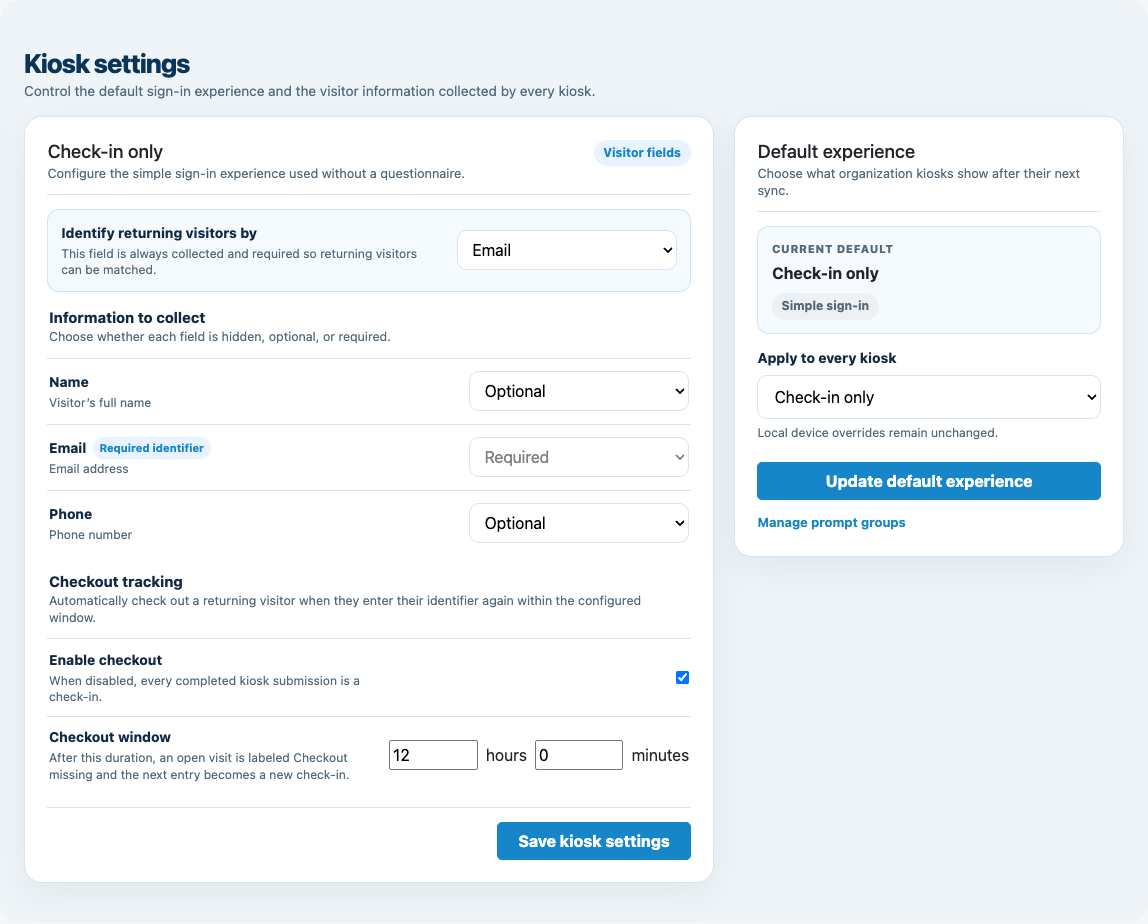
Customizable visitor sign-in kiosk
Build the right sign-in flow, then put it on the right kiosks
Create reusable prompt groups for different entrances, events, programs, or visitor types. Add custom questions, choose required fields and answer types, then apply the published form to this device or every kiosk in the organization.
- Short text
- Long text
- Yes / No
- Single choice
- Multiple choice
- Number
- Date



Mix text, Yes or No, single choice, multiple choice, number, and date questions in the same group.
Change only the device in your hand or apply one published experience throughout the organization.
Published forms download to the device so visitor sign-in can continue without a connection.
Common questions
Digital visitor log FAQ
Is a digital visitor log easier to search?
Yes. A digital list removes the need to scan handwritten pages and makes repeat visits easier to associate with the right guest.
Do I need kiosk hardware?
No. Use a compatible phone or tablet you already own and choose the stand or placement that fits your space.
Can I keep using my current tools?
Yes. CSV export includes checkout time, latest status, and duration alongside the guest list for common spreadsheet and contact workflows.
Can the log show when a visitor leaves?
Yes. Enable optional checkout and choose a time window. A returning visitor can enter the same email or phone to close their open visit without repeating the full form.
Is this meant for regulated facilities?
MemberMaker is intended for straightforward guest and attendance tracking, not identity screening or regulatory compliance programs.
Start in your browser
Set up online. Welcome visitors on your tablet.
Create a web account to manage your organization. When you’re ready for guests, install the kiosk app on your iPad or Android tablet.
Set up your questions and kiosk settings in the web dashboard. See live sign-ins here once your kiosk is running.
Create a web accountReady to set up your kiosk? Download the app and sign in to the same account.