First entry checks in
A new visitor completes the configured profile fields and prompts. MemberMaker creates an open visit with its check-in time.
Visitor arrival and departure tracking
Let guests use the same phone or tablet when they arrive and leave. MemberMaker recognizes an open visit, records checkout instantly, and keeps each visit’s status and duration together.
One familiar kiosk action
Checkout adds departure tracking without adding a second app, QR code, or complicated visitor workflow.
A new visitor completes the configured profile fields and prompts. MemberMaker creates an open visit with its check-in time.
If that visitor returns within the checkout window, MemberMaker closes the open visit immediately and skips questions they already answered.
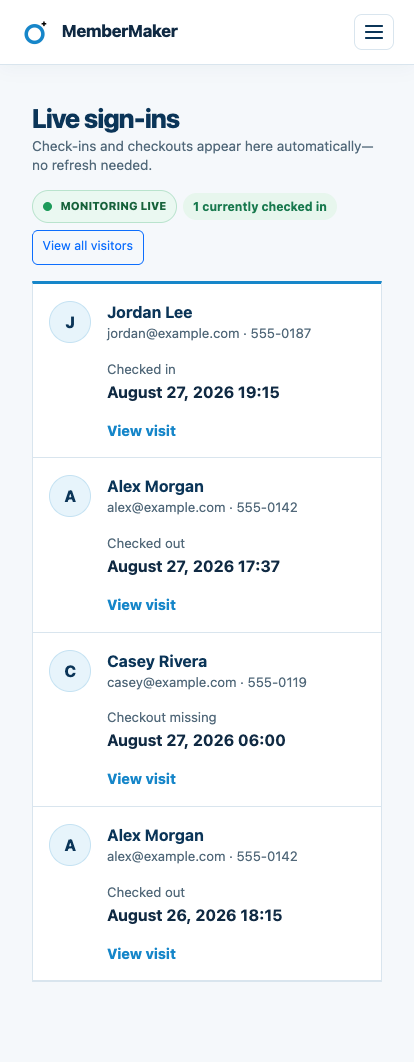
After checkout, the visitor’s next entry creates a fresh visit. An older open visit outside the window remains visible as Checkout missing.
Live operational visibility
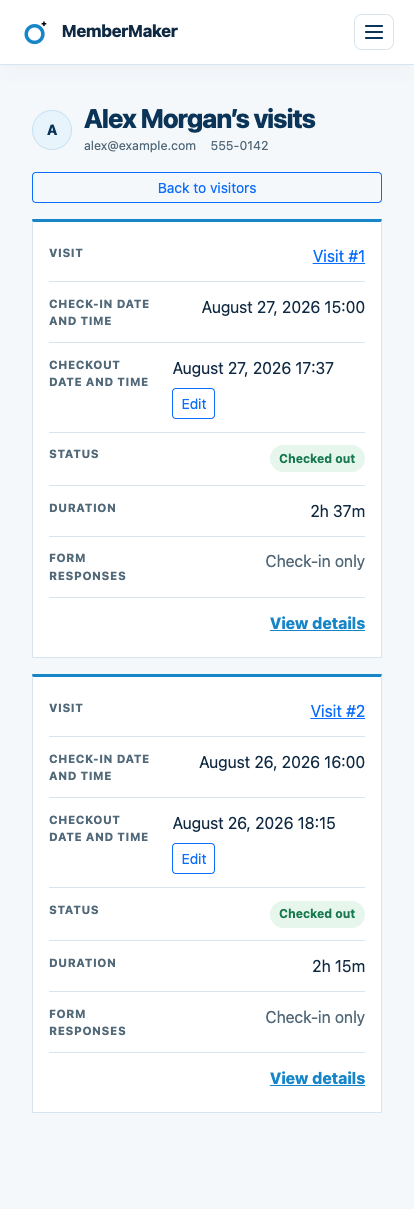
The dashboard receives check-ins and checkouts as they happen. Open a visitor’s history to review times, status, and duration, or correct a missing checkout when needed.

Configure it around your gathering
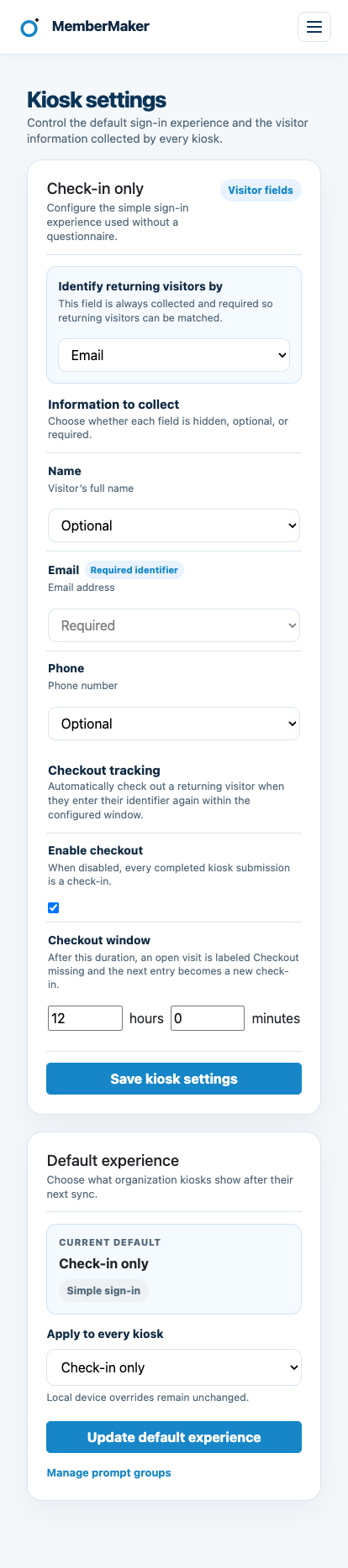
The checkout window defaults to 12 hours and can be set from one minute through seven days. It is measured from check-in time and shared by the organization’s kiosks.
An honest fit check
MemberMaker is designed for straightforward guest attendance at welcome tables, community programs, events, and closely monitored entrances.
Common questions
Enable checkout and choose a time window. When a visitor with an open visit enters the same email address or phone number again inside that window, MemberMaker records their checkout immediately.
No. An eligible checkout skips profile fields, custom prompts, and the review step, then shows a checkout confirmation.
Their next entry starts a new visit. Each visit keeps its own check-in time, optional checkout time, status, and duration.
When an open visit passes the configured window, MemberMaker labels it Checkout missing. The visitor's next entry creates a new check-in instead of changing the older visit.
Yes. Organization administrators can add, edit, or clear checkout times from visitor history. A checkout cannot be earlier than its check-in.
No. MemberMaker records visitor and guest attendance. It is not designed for payroll, employee timekeeping, access control, identity verification, or safety-critical emergency accountability.
Start in your browser
Create a web account to manage your organization. When you’re ready for guests, install the kiosk app on your iPad or Android tablet.
Set up your questions and kiosk settings in the web dashboard. See live sign-ins here once your kiosk is running.
Create a web accountReady to set up your kiosk? Download the app and sign in to the same account.
