Volunteer arrivals happen all at once
A guided station lets people enter their own details while coordinators stay focused on orientation, assignments, and the work ahead.
For nonprofits, events, and service programs
Turn an iPad, iPhone, or Android device into a self-service volunteer sign-in station. Collect the right details, track repeat attendance, and optionally record checkout and visit duration.
Start with your web dashboard
Configure questions and kiosk settings online. When you’re ready to welcome guests, download the app and sign in to the same account.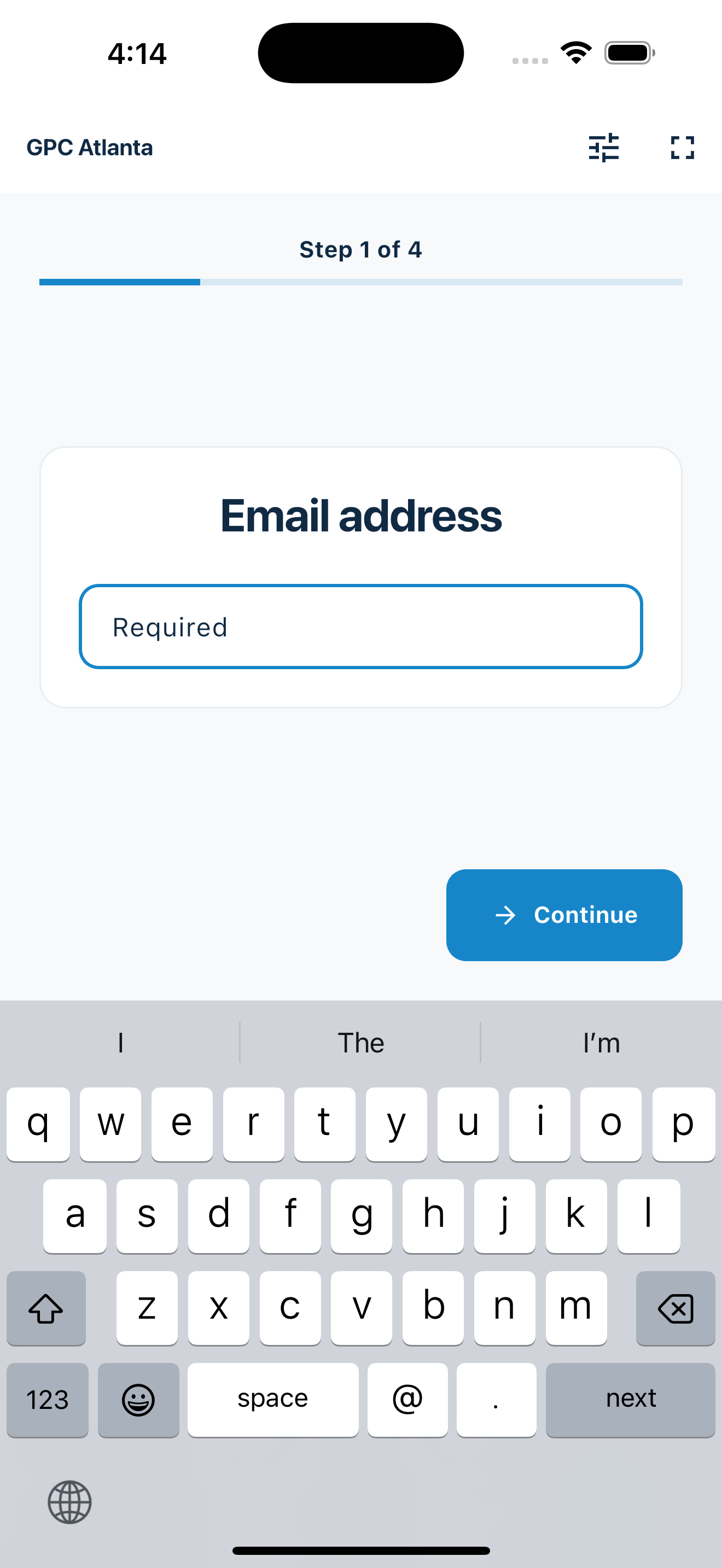
Less clipboard coordination
The check-in process should support the service work, not become another task for the people running it.
A guided station lets people enter their own details while coordinators stay focused on orientation, assignments, and the work ahead.
Optional checkout creates a clearer operational record of arrivals, departures, and visit duration without maintaining a second roster.
Visit history helps the organization recognize returning volunteers and keep attendance details together across service days.
A complete attendance record
Collect only the details your program needs, optionally record checkout, and follow attendance from the live dashboard without turning check-in into a complicated volunteer-management system.
Choose email or phone as the volunteer identifier and add reusable prompts for interests, teams, programs, or orientation needs.
Set a checkout window. A volunteer who enters the same identifier again can close the open visit without answering the full form twice.
See arrivals and departures appear without refreshing, check the current count, and open visit history for status and duration.
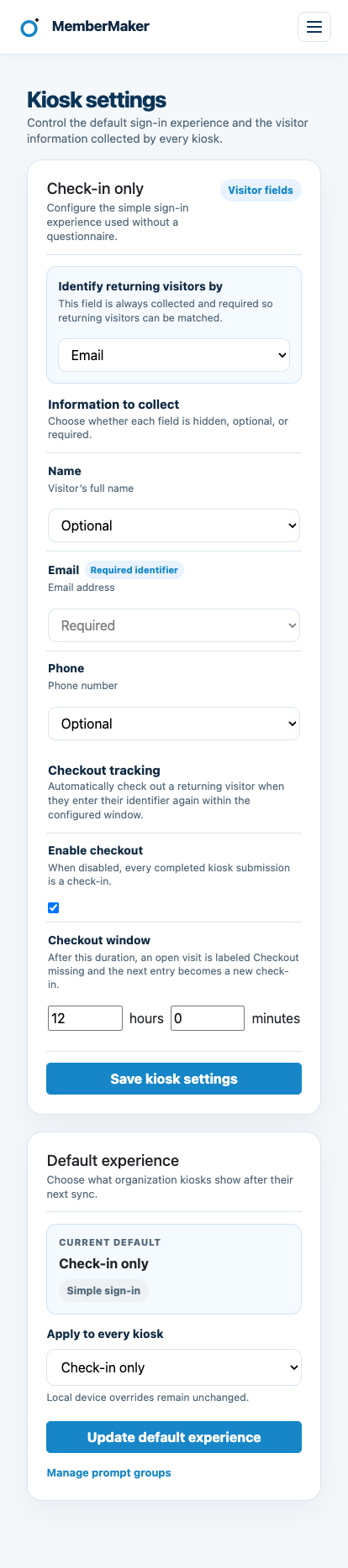
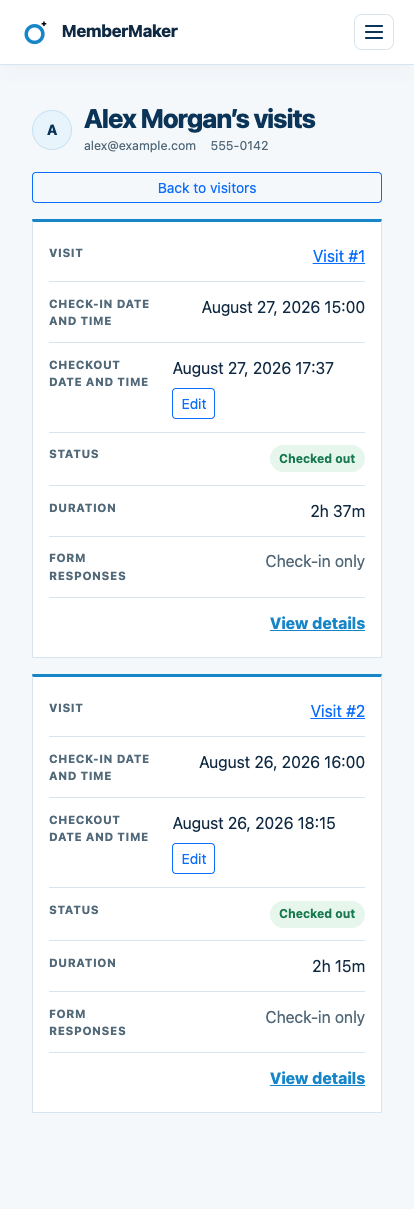
Create your organization and configure check-in online. Download the kiosk app when you’re ready to welcome volunteers.
Set up your questions and kiosk settings in the web dashboard. See live sign-ins here once your kiosk is running.
Create a web accountReady to set up your kiosk? Download the app and sign in to the same account.

A repeatable attendance flow
MemberMaker handles the attendance record while your team handles orientation, assignments, and support.
Volunteer programs
A portable station works wherever volunteers gather before getting started.
Record volunteers arriving for recurring packing, distribution, and community meal shifts.
Collect a clean list from setup crews, booth volunteers, greeters, and event-day helpers.
Use a portable phone or tablet at parks, trailheads, and outdoor meeting points.
Track repeat participation across volunteer orientations, projects, and scheduled service days.
An honest fit check
MemberMaker complements scheduling and recruitment tools rather than replacing them.
Common questions
Yes. New visits can be associated with an existing person, helping coordinators recognize volunteers who return across programs and events.
Yes. Checkout is optional. When enabled, a volunteer enters the same email or phone again within your configured window and MemberMaker closes the open visit without repeating the full form.
No. Check-in, checkout, and duration provide an operational attendance record. They are not a certification or approval system for verified service hours.
No. Continue using your scheduling system for shifts, assignments, reminders, recruitment, and capacity.
Yes. Put a phone or tablet at the arrival table in fullscreen mode and direct volunteers through the guided sequence.
Yes. Export contact details, check-in and checkout times, status, and duration to CSV for an approved spreadsheet or volunteer workflow.
Start in your browser
Create a web account to manage your organization. When you’re ready for guests, install the kiosk app on your iPad or Android tablet.
Set up your questions and kiosk settings in the web dashboard. See live sign-ins here once your kiosk is running.
Create a web accountReady to set up your kiosk? Download the app and sign in to the same account.