Use a device you already own
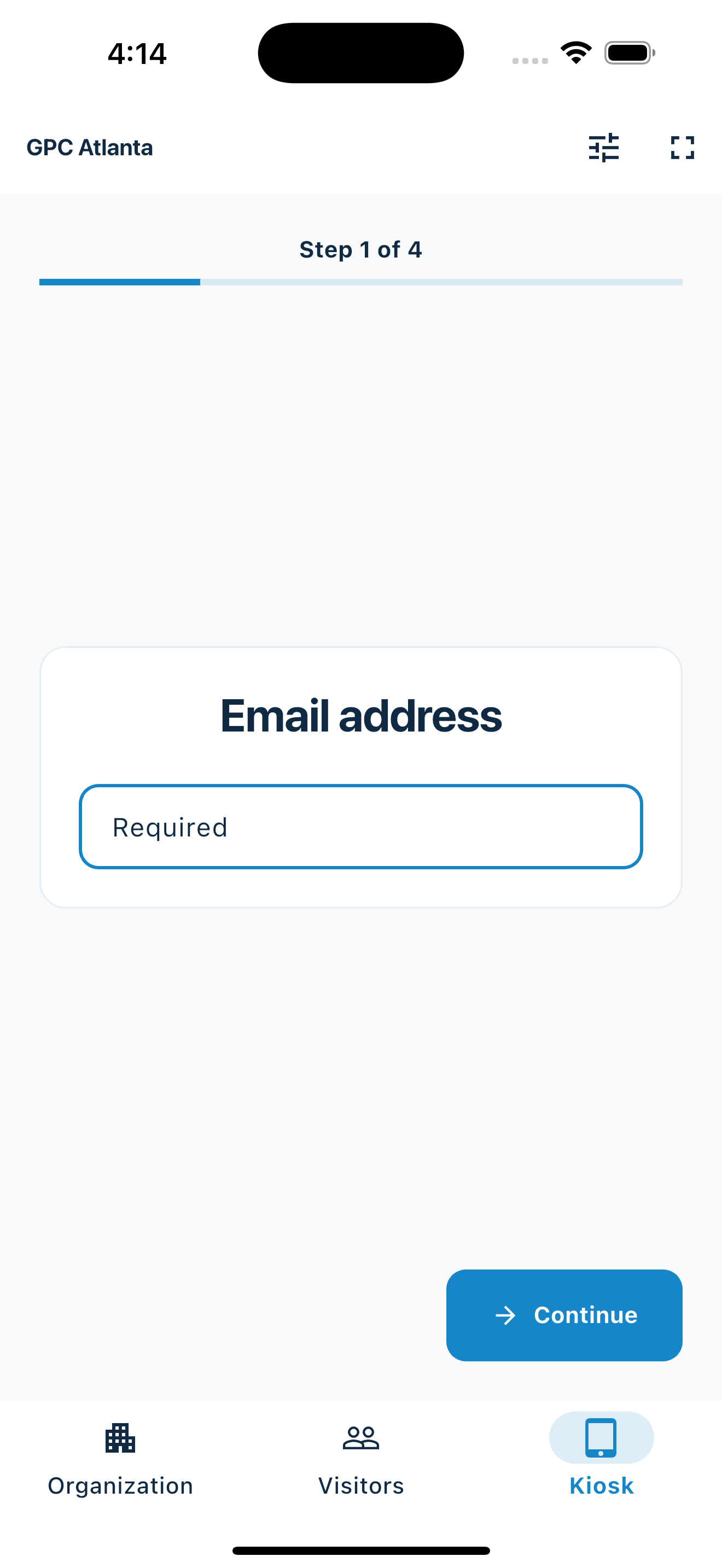
Put MemberMaker on a supported phone or tablet and add a stand when you want a fixed self-service station.
Free visitor management software
MemberMaker turns a supported phone or tablet into a guided visitor management station for clubs, churches, nonprofits, classes, small teams, and local events. Collect a clean guest list, optional departures, and visit duration without paying for workplace features you do not need.
Reviewed by the MemberMaker product team. Prices and capabilities are checked against the official vendor sources linked below.
Lightweight by design
MemberMaker is built for organizations replacing a paper sign-in sheet, not facilities deploying a security platform.
Put MemberMaker on a supported phone or tablet and add a stand when you want a fixed self-service station.
Choose phone or email identification, optional contact fields, and your own custom questions while keeping the guided one-step-at-a-time flow.
MemberMaker stays focused on contact capture, custom responses, and repeat attendance instead of workplace security, host directories, badges, and access control.
Your web dashboard and kiosk app
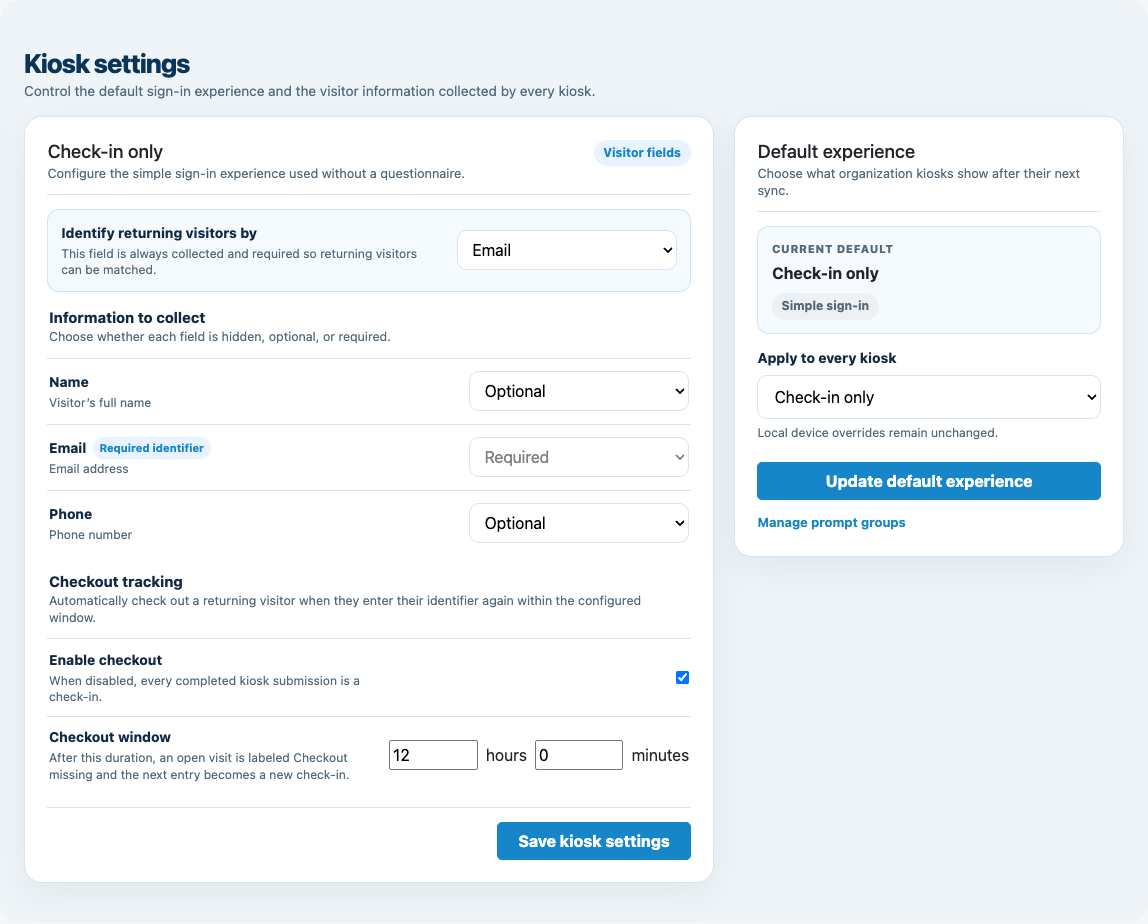
Create your organization, build and publish kiosk questions, choose required fields, and configure identification and optional checkout. Apply a published question group to your organization’s kiosks from the dashboard.
Create a web accountInstall MemberMaker on your iPad or Android tablet, sign in to the same account, and select your organization. Open fullscreen mode so visitors can check in at your table or entrance.


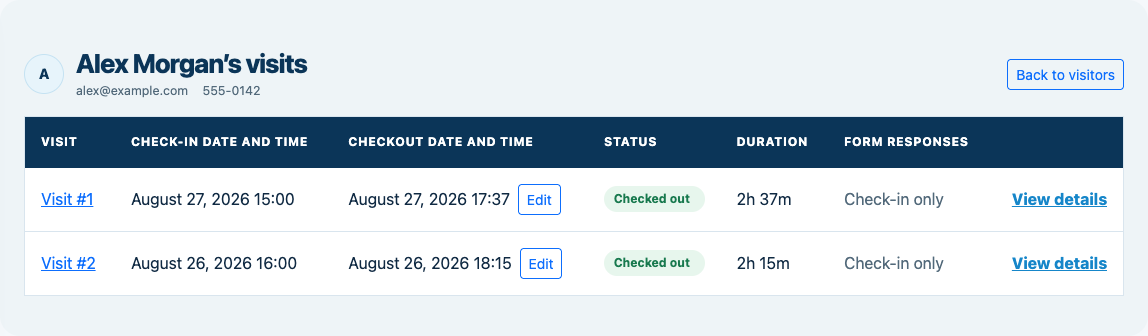
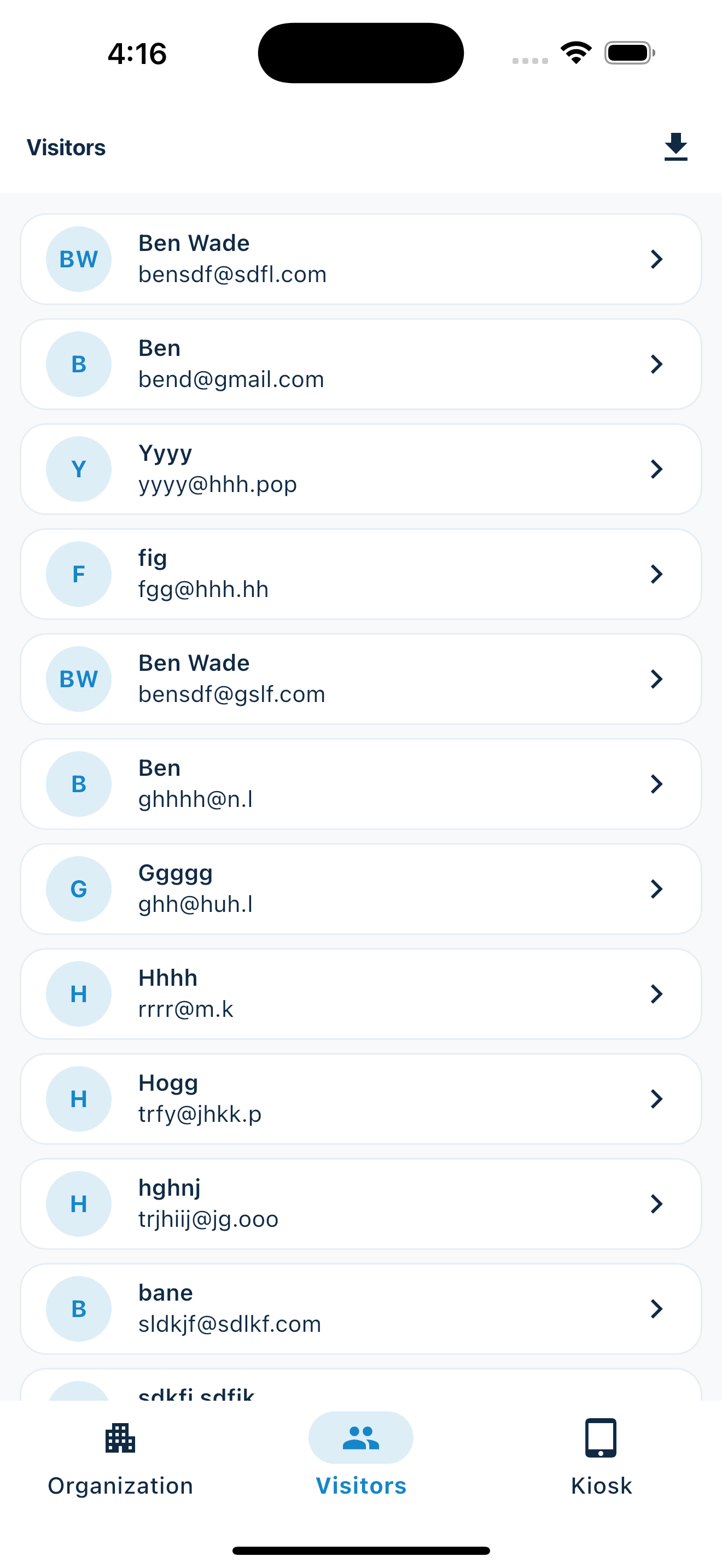
Keep the dashboard open to see arrivals and departures update automatically. Review visitor history, answers, and checkout status, then export records when you need them.

Optional visitor checkout
Enable checkout for your organization and choose the return window. When an open visitor enters the same email or phone again within that window, MemberMaker checks them out immediately instead of making them repeat their profile and prompts.
Customizable visitor sign-in kiosk
Create reusable prompt groups for different entrances, events, programs, or visitor types. Add custom questions, choose required fields and answer types, then apply the published form to this device or every kiosk in the organization.



Keep a front-desk form, event questionnaire, volunteer flow, or check-in-only experience ready to use.
Mix text, Yes or No, single choice, multiple choice, number, and date questions in the same group.
Change only the device in your hand or apply one published experience throughout the organization.
Published forms download to the device so visitor sign-in can continue without a connection.
Subscription cost
These examples use publicly advertised US pricing and simple annual equivalents so small organizations can understand the scale of the decision.
No subscription or paid plan for the focused check-in workflow.
$362 per location each month, billed annually. Envoy also offers a limited Basic plan.
$99 per month, billed annually, for a broader workplace visitor system.
Advertised US entry plan per site; SwipedOn now routes visitors to Sign In App.
Prices checked July 27, 2026. Annual equivalents multiply advertised monthly prices by 12; taxes, hardware, add-ons, and quote-based platform fees may be extra. Envoy pricing · Greetly pricing · Sign In App pricing · The Receptionist US pricing.
Side-by-side
All of these products can support visitor arrival, but they are designed for different buyers and levels of operational risk.
| Capability | MemberMaker | Envoy | Greetly | Sign In App |
|---|---|---|---|---|
| Best fit | Small organizations and local events | Workplaces needing security and host workflows | Offices automating reception | Workplaces managing visitors, people, and safety |
| Subscription | None | Free limited tier or paid plans | Paid annual plans | Paid annual plans after trial |
| Kiosk device | Supported iPhone, iPad, or Android | Visitor kiosk | Tablet or touchless check-in | iPad, mobile, and web options |
| Contact and visit records | Yes | Yes | Yes | Yes |
| Custom visitor questions | Seven prompt types in reusable groups | Custom workflows available by plan | Custom workflows available by plan | Custom workflows available by plan |
| CSV export | Yes | Plan-dependent reporting and export | Reporting tools | Reporting and export |
| Badges, host alerts, and security | No | Available by plan | Available by plan | Available by plan |
From download to kiosk
Test the complete workflow before your doors open, just as you would with any guest-facing process.
An honest fit check
MemberMaker is deliberately narrower than the enterprise products on this page.
Common questions
Yes. MemberMaker is free to use and has no paid plan or recurring subscription. It provides guided visitor check-in, repeat visit records, and CSV export on supported iPhone, iPad, and Android devices.
Yes. Install MemberMaker, sign in, open fullscreen check-in, and place the iPad in a stable stand at the welcome table or entrance.
MemberMaker covers the focused part of visitor management: contact capture, visit records, returning visitors, and export. It is not a workplace security, badge, host-notification, or access-control platform.
Yes, MemberMaker supports compatible Android phones and tablets as well as iPhone and iPad. Test the complete check-in flow on the exact device before an event.
MemberMaker does not provide badge printing, host alerts, legal document signing, ID screening, emergency management, or access-control integrations. Those features are reasons to choose a full workplace platform.
Yes. Export names, email addresses, and phone numbers to CSV for a spreadsheet, mailing tool, or another approved follow-up workflow.
Yes. Build reusable prompt groups with short text, long text, Yes or No, single choice, multiple choice, number, and date prompts. Published forms continue to work during offline kiosk check-in.
Start in your browser
Create a web account to manage your organization. When you’re ready for guests, install the kiosk app on your iPad or Android tablet.
Set up your questions and kiosk settings in the web dashboard. See live sign-ins here once your kiosk is running.
Create a web accountReady to set up your kiosk? Download the app and sign in to the same account.