Handwriting creates unusable contacts
Guests enter their own name, email, and phone so the list is readable before the event ends.
Event arrivals and guest records
Turn an iPad, iPhone, or supported Android device into a guided guest sign-in point. Keep event arrivals together, recognize returning guests, and export check-in and optional checkout records.
Start with a free introductory check-in allowance. Continued check-ins require a subscription. Your assigned offer sets the allowance and price.
Nonprofit organization? Ask about a special rate by opening a support ticket. Include your organization’s name and what it does. Sign in, choose your organization, then open Support → New support ticket.
Start with your web dashboard
Configure questions and kiosk settings online. When you’re ready to welcome guests, download the app and sign in to the same account.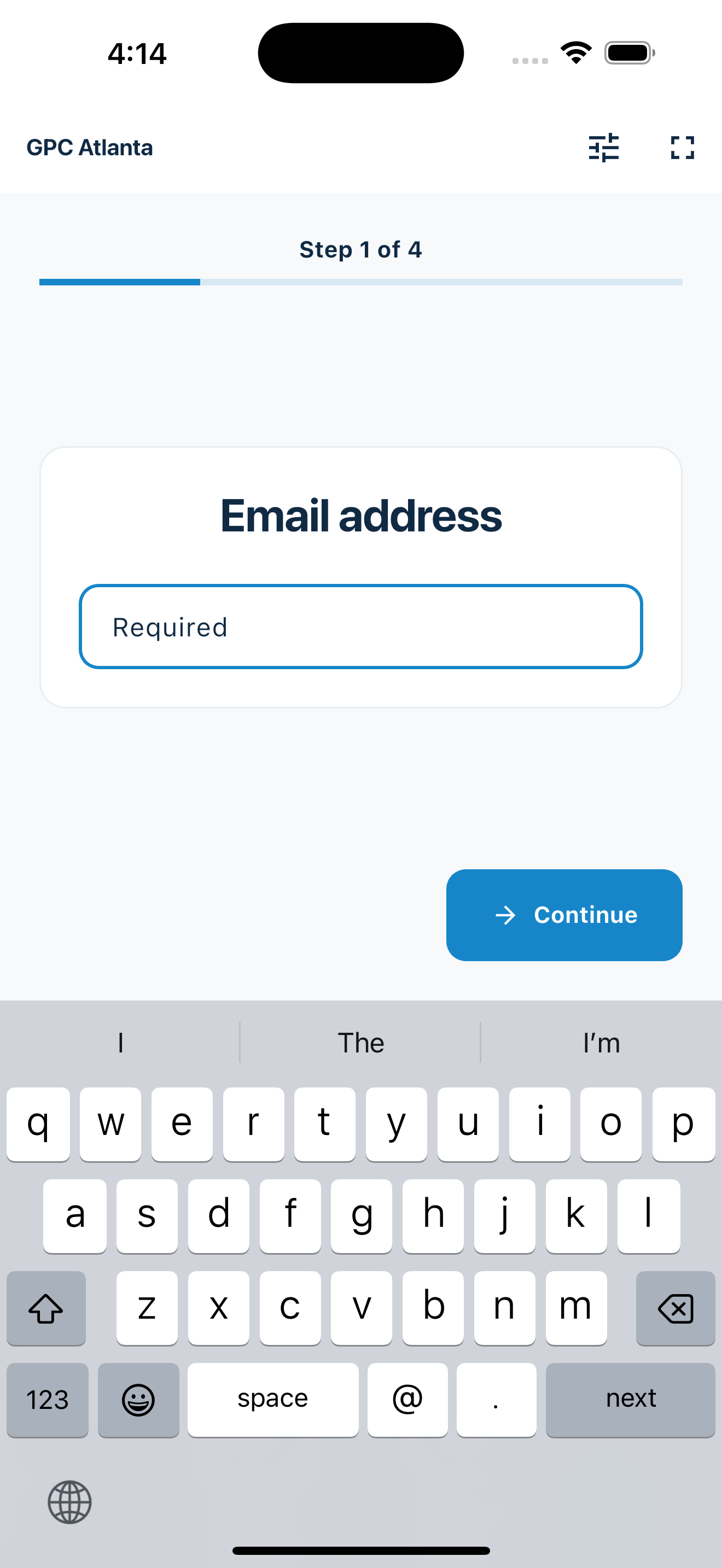
A list you can actually use
A guest list is useful only when the details are readable, the visits stay connected, and the records can move into your approved workflow.
Guests enter their own name, email, and phone so the list is readable before the event ends.
MemberMaker keeps visits connected to the same guest, making repeat attendance easier to recognize.
Export a clean CSV for an approved spreadsheet, contact tool, or follow-up process without retyping paper sheets.
Your web dashboard and kiosk app
Create your organization, build and publish kiosk questions, choose required fields, and configure identification and optional checkout. Apply a published question group to your organization’s kiosks from the dashboard.
Create a web accountInstall MemberMaker on your iPad or Android tablet, sign in to the same account, and select your organization. Open fullscreen mode so visitors can check in at your table or entrance.


Keep the dashboard open to see arrivals and departures update automatically. Review visitor history, answers, and checkout status, then export records when you need them.

Optional visitor checkout
Enable checkout for your organization and choose the return window. When an open visitor enters the same email or phone again within that window, MemberMaker checks them out immediately instead of making them repeat their profile and prompts.
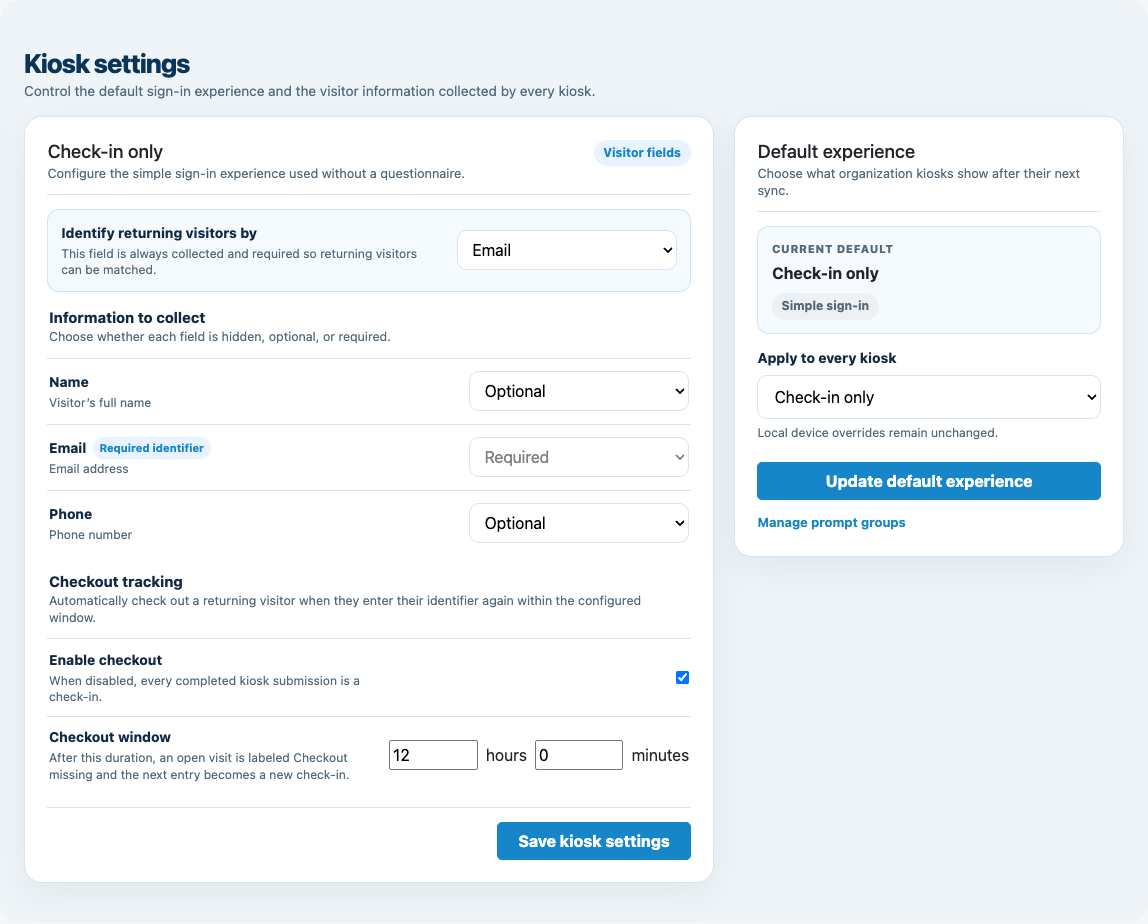
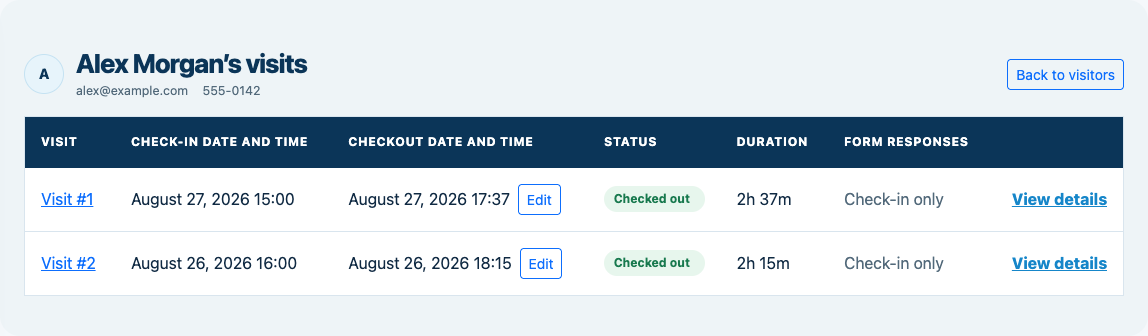
Customizable visitor sign-in kiosk
Create reusable prompt groups for different entrances, events, programs, or visitor types. Add custom questions, choose required fields and answer types, then apply the published form to this device or every kiosk in the organization.



Keep a front-desk form, event questionnaire, volunteer flow, or check-in-only experience ready to use.
Mix text, Yes or No, single choice, multiple choice, number, and date questions in the same group.
Change only the device in your hand or apply one published experience throughout the organization.
Published forms download to the device so visitor sign-in can continue without a connection.
From entrance to export
Create a separate event for each gathering when Events is enabled, select it on each kiosk, and keep its attendance separate from other dates.
Events and audiences
MemberMaker works where the goal is contact capture and attendance rather than ticketing or admission control.
Collect attendee details at benefit nights, local programs, and recurring community gatherings.
Build an audience list for recurring music, comedy, poetry, and neighborhood events.
Capture readable visitor details for authorized follow-up after the doors close.
Keep one guest record across recurring meetings instead of starting another isolated sheet.
An honest fit check
Choose MemberMaker for a clean guest record and keep specialized event functions in the tools designed for them.
Common questions
Start with a free introductory check-in allowance. Continued check-ins require a subscription. Your assigned offer sets the allowance and price.
Yes. Fullscreen kiosk mode gives guests a guided self-service flow for the identity field, profile details, custom prompts, review, and confirmation.
Yes. New visits stay connected to an existing guest when the configured email or phone identifier matches.
Yes, when optional checkout is enabled. Re-entering the same identifier within the configured window records departure without repeating the profile and prompt questions.
Yes. Export visitor details and visit records to CSV for an approved spreadsheet, contact tool, or follow-up workflow.
No. MemberMaker records arrivals, optional departures, contact details, custom responses, and repeat visits. Recurring class schedules support individual email-confirmed reservations when Events is enabled. Use a dedicated platform for general event RSVPs, ticket sales, payments, admission, or seating.
Start in your browser
Create a web account to manage your organization. When you’re ready for guests, install the kiosk app on your iPad or Android tablet.
Set up your questions and kiosk settings in the web dashboard. See live sign-ins here once your kiosk is running.
Create a web accountReady to set up your kiosk? Download the app and sign in to the same account.