Keep a front-desk form, event questionnaire, volunteer flow, or check-in-only experience ready to use.
Free iPad visitor kiosk
Free visitor sign in app for iPad
MemberMaker is a stripped down, easy to use visitor sign-in app for teams that want something simpler than a full visitor management system. If you have an iPad, you can set up a clean self-service check-in station without buying special kiosk software.
- Free to start using for visitor sign-in
- Built for iPad check-in at a table, lobby, or entrance
- Custom identity fields and questions shown one step at a time
- Offline-ready check-in with optional visitor checkout
Stripped down on purpose
A focused sign-in app without extra setup
MemberMaker keeps visitor check-in direct. There are no badges to design, front desk workflows to configure, or complicated event tools to learn. Open the app, choose your organization, and let guests sign themselves in.
It works well for churches, clubs, nonprofits, classes, open houses, meetups, and local events. For church family programs, enable Group check-in: a parent checks in first, then selects saved children or adds them by name, with a separate visit for each person.
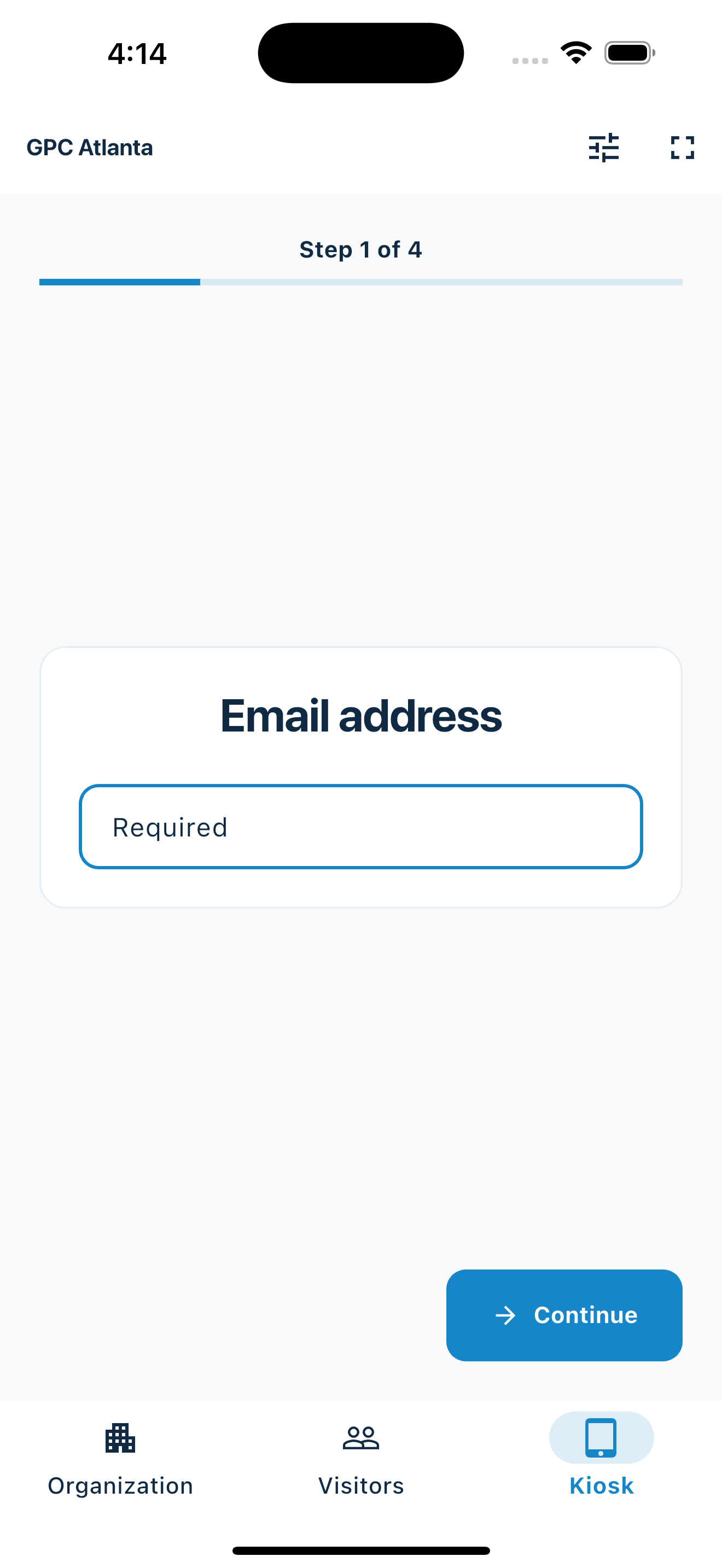
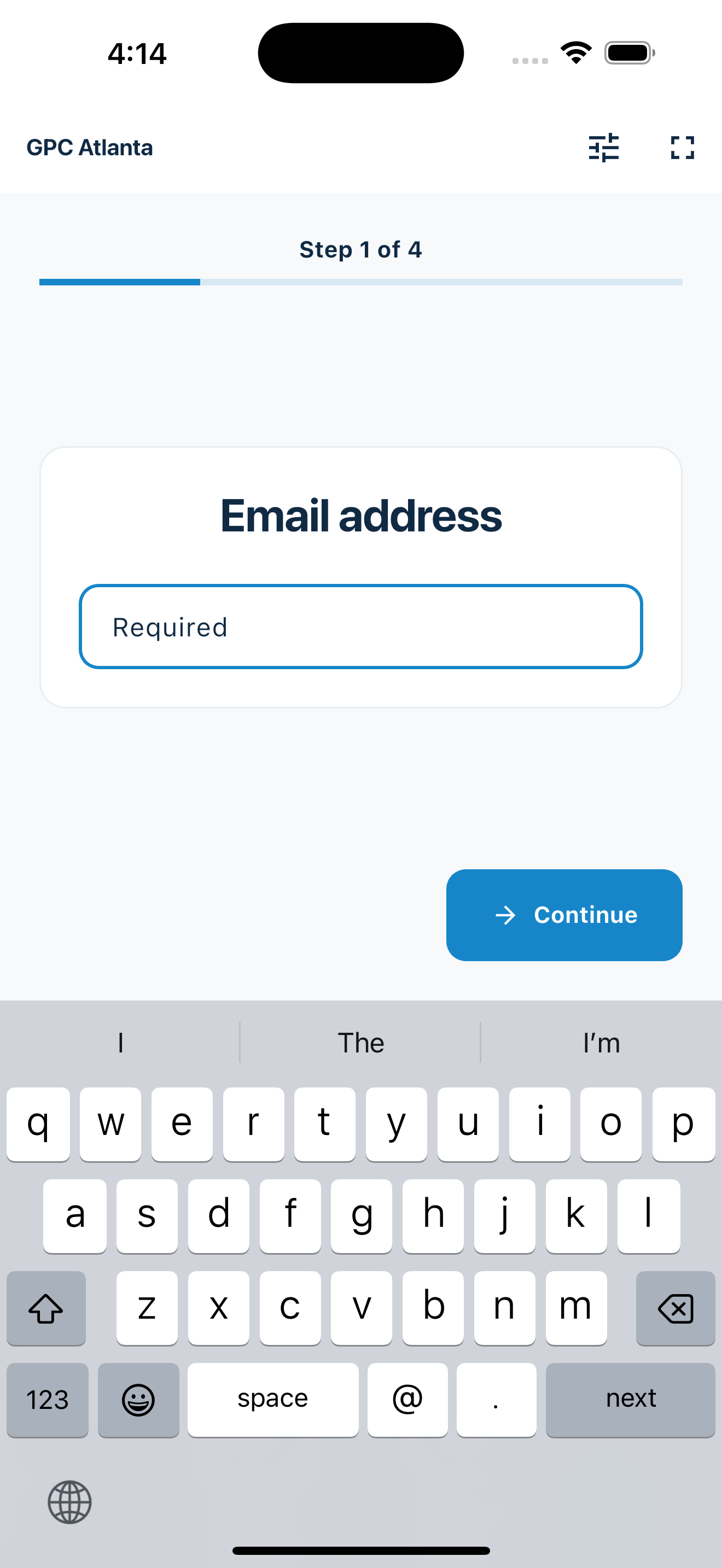
The app guides every visitor through each step
Email address
Guests start with their email so your follow-up list is digital from the beginning.
Name
The next screen asks for a clear visitor name instead of relying on handwriting from a paper sheet.
Phone number
Guests can add a phone number for calls, texts, reminders, or personal follow-up after the event.
Fast for guests
Quick check-in for first-time and returning visitors
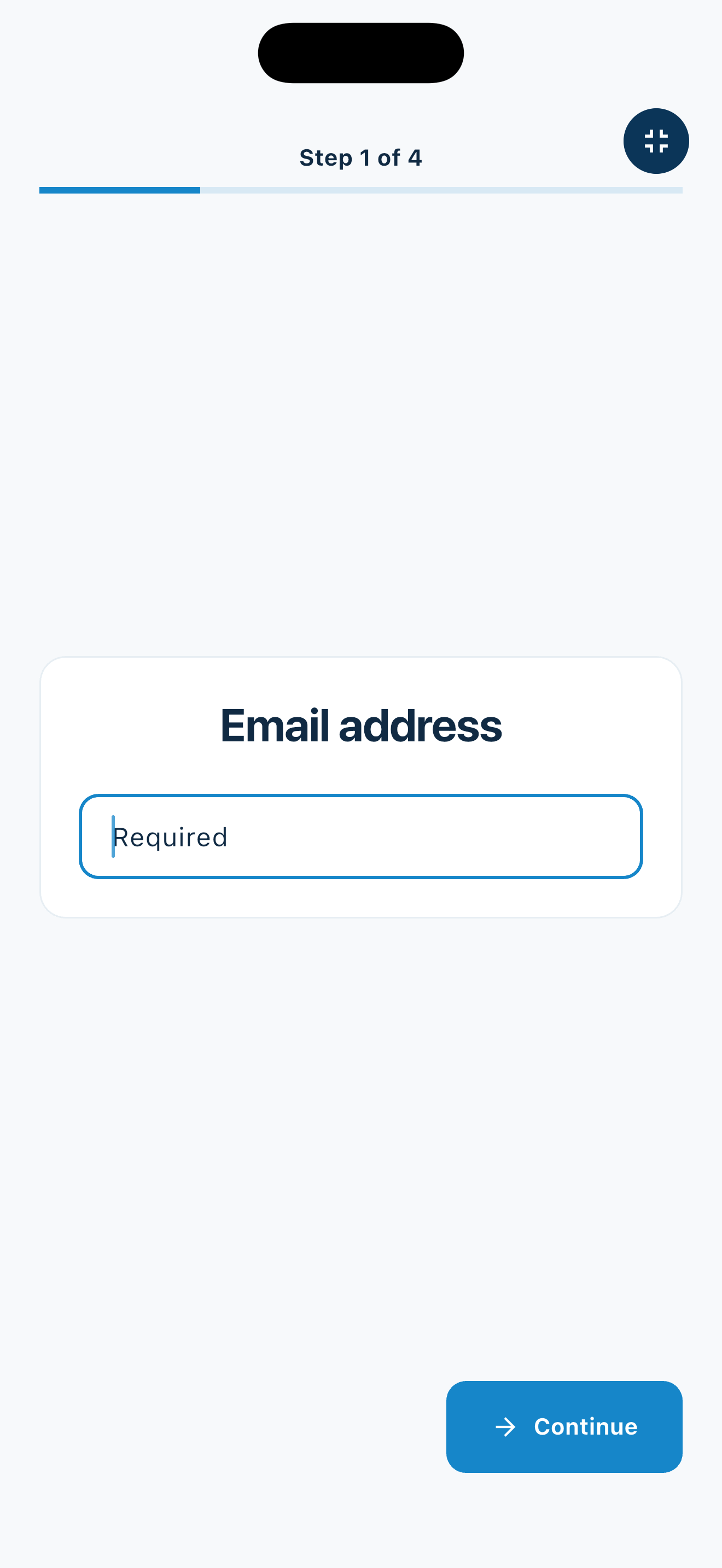
A visitor should not have to understand your system to use it. MemberMaker presents one step at a time, so guests can move through check-in quickly on the iPad at your welcome table or entrance.
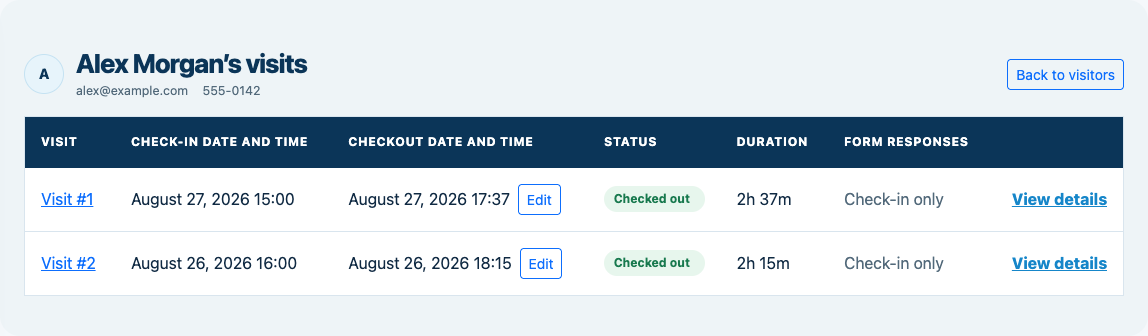
When someone has already signed in before, MemberMaker connects the new visit to the same visitor record. If optional checkout is enabled, entering the same email or phone within the checkout window records their departure without repeating the full form.
- Simple screens that keep visitors moving
- Repeat visits are tracked under the visitor record
- Optional checkout records status and visit duration
- Your team can review who came after the event
Follow up without retyping
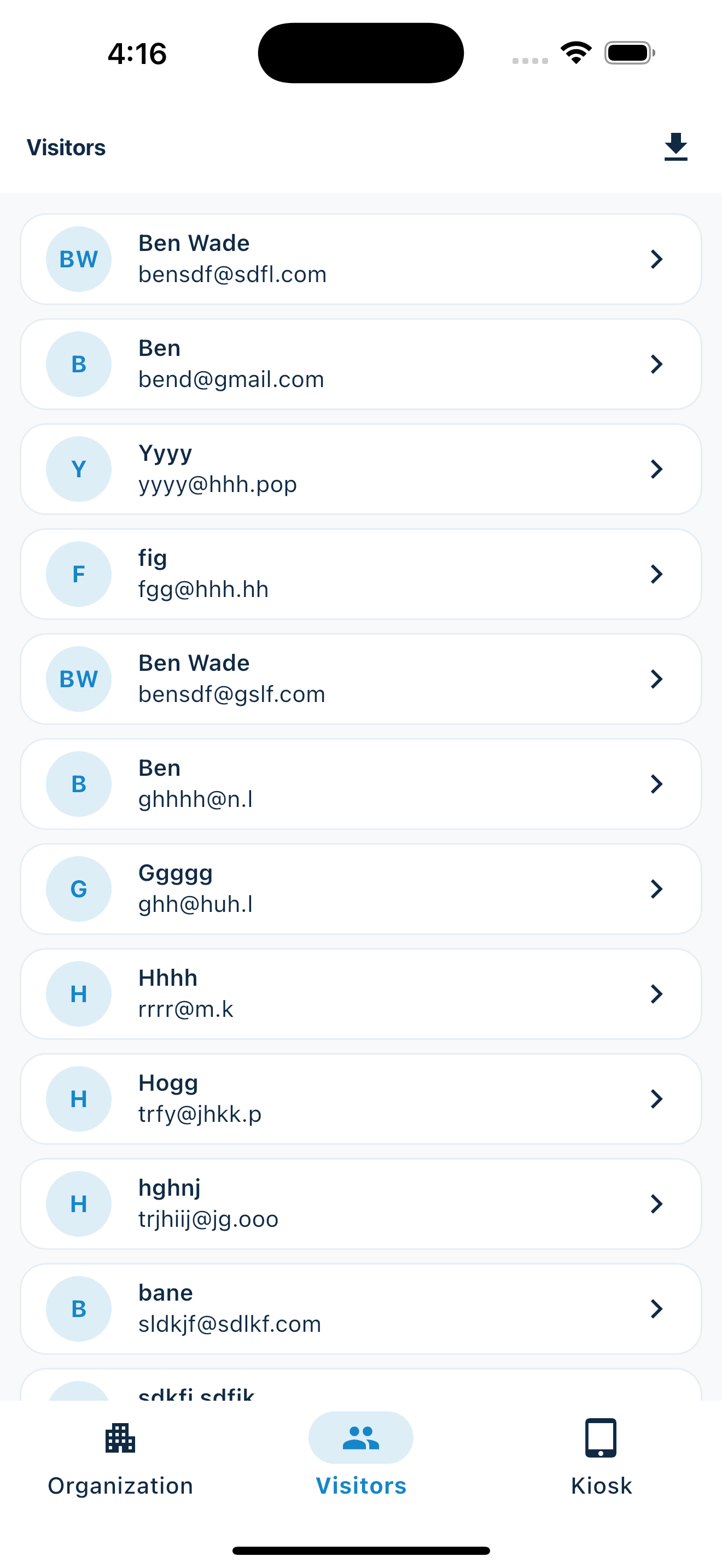
Export your guest list for Mailchimp or other email tools
Paper sign-in sheets usually create one more job after the event: typing names, emails, and phone numbers into another system. MemberMaker keeps the guest list digital so it is ready for follow-up.
Export your visitor list and use it with Mailchimp, another email client, a spreadsheet, or whichever follow-up process your organization already uses.
- Export visitor contacts to CSV
- Bring guest details into email marketing tools
- Keep a cleaner list than a handwritten clipboard
All you need is an iPad and a mount
Use your iPad
Install MemberMaker on an iPad you already own and sign in before guests arrive.
Add a table mount
Buy a simple iPad stand or mount, place it where your paper sheet used to sit, and keep the screen easy to reach.
Start checking people in
Open the visitor sign-in flow, point guests to the iPad, and review the guest list when the event is over.
Your web dashboard and kiosk app
Manage online. Check in on your tablet.
1. Set up your web dashboard
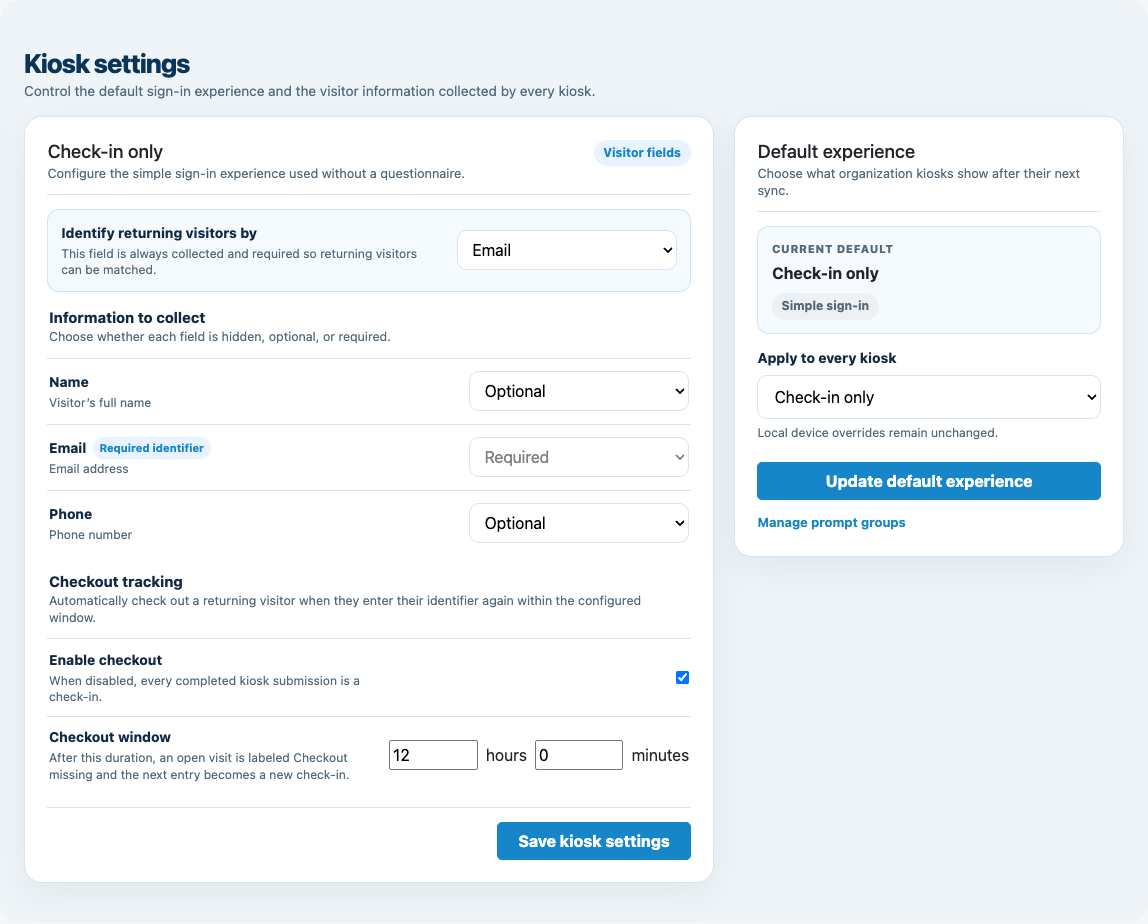
Create your organization, build and publish kiosk questions, choose required fields, and configure identification and optional checkout. Apply a published question group to your organization’s kiosks from the dashboard.
Create a web account2. Download the app when your kiosk is ready
Install MemberMaker on your iPad or Android tablet, sign in to the same account, and select your organization. Open fullscreen mode so visitors can check in at your table or entrance.


3. See live sign-ins in your browser
Keep the dashboard open to see arrivals and departures update automatically. Review visitor history, answers, and checkout status, then export records when you need them.

Optional visitor checkout
Know when a visit ends—not only when it starts
Enable checkout for your organization and choose the return window. When an open visitor enters the same email or phone again within that window, MemberMaker checks them out immediately instead of making them repeat their profile and prompts.
- Disabled by default, with a 12-hour default window when enabled
- Live checked-in, checked-out, and checkout-missing statuses
- Checkout times, visit duration, corrections, and CSV export
Customizable visitor sign-in kiosk
Build the right sign-in flow, then put it on the right kiosks
Create reusable prompt groups for different entrances, events, programs, or visitor types. Add custom questions, choose required fields and answer types, then apply the published form to this device or every kiosk in the organization.
- Short text
- Long text
- Yes / No
- Single choice
- Multiple choice
- Number
- Date



Mix text, Yes or No, single choice, multiple choice, number, and date questions in the same group.
Change only the device in your hand or apply one published experience throughout the organization.
Published forms download to the device so visitor sign-in can continue without a connection.
Set up a free visitor sign-in station
Download MemberMaker, put your iPad in a mount, and start collecting cleaner visitor details at your next meeting, service, class, open house, or event.
Set up your questions and kiosk settings in the web dashboard. See live sign-ins here once your kiosk is running.
Create a web accountReady to set up your kiosk? Download the app and sign in to the same account.