Welcome visitors with a focused flow
Choose the contact fields and questions your organization needs. Visitors complete a guided check-in, and returning people can have another visit recorded against their existing profile.
signinapp.com alternative
Looking for a signinapp.com alternative? Give your visitors a clear sign-in flow and your team a useful attendance record. MemberMaker brings guided check-in, custom questions, returning visitors, and family attendance to small organizations, churches, clubs, and community events.
Reviewed by the MemberMaker product team. Prices and capabilities are checked against the official vendor sources linked below.
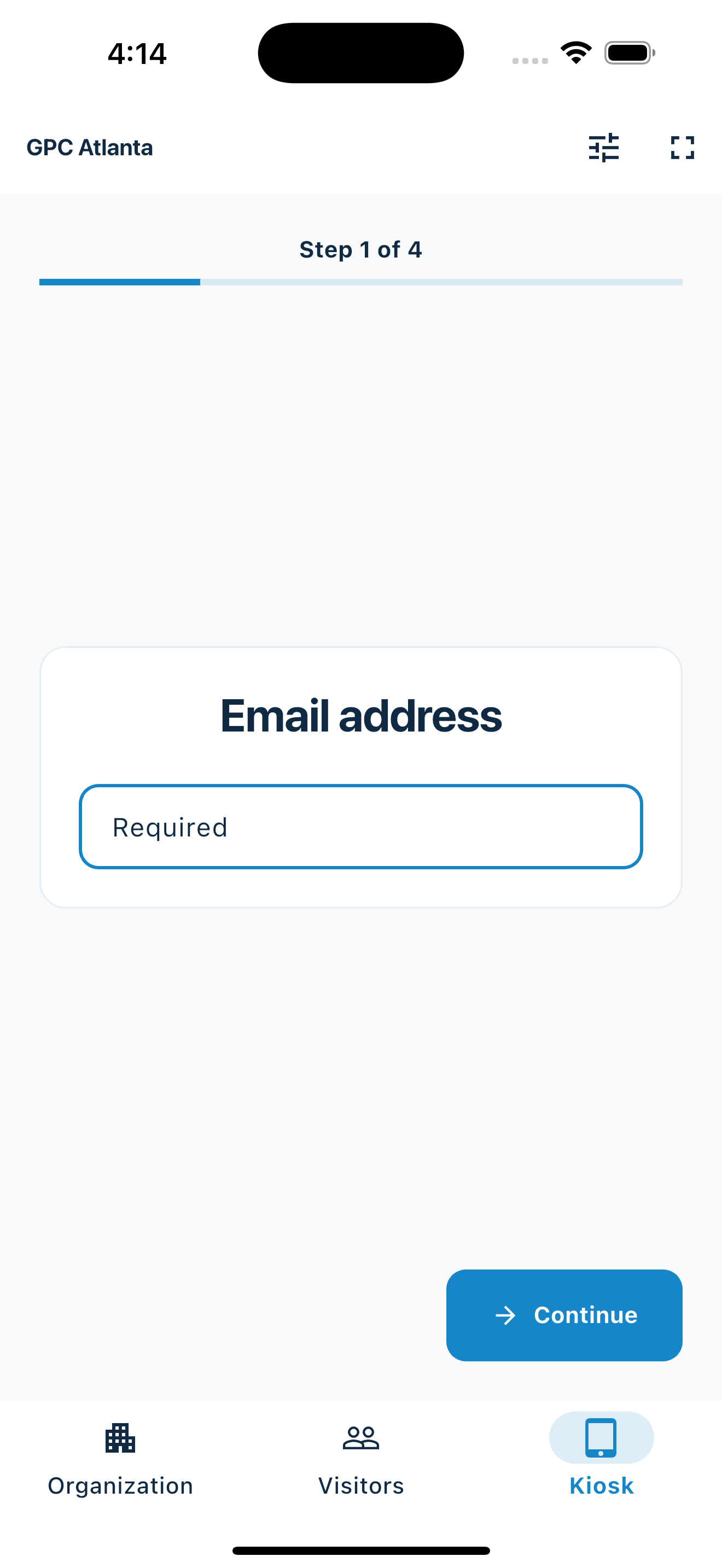
Start with the arrival experience
Set up the questions, welcome people, and review who attended. Choose the flow that fits your gathering.
Choose the contact fields and questions your organization needs. Visitors complete a guided check-in, and returning people can have another visit recorded against their existing profile.
Run the app kiosk on a supported iPhone, iPad, or Android device. Alternatively, share a web link or QR code so visitors can check in through their phone’s browser without installing the app.
Review visits in the dashboard and export CSV records for your existing follow-up process. Use separate events when you want session-specific attendance and your organization has Events access.
Virtual check-in
Share a check-in link in your invitation email or live meeting chat. People attending an online workshop, church gathering, or club meeting can sign in from their browser, with no app or attendee account required.
Create a web check-in link in the dashboard and choose the contact fields and custom questions you need. When Events is available for your organization, associate the link with the session to keep its attendance together.
Review submitted check-ins in the dashboard and export attendance as CSV. For a hybrid gathering, share the link with remote attendees and display its QR code for people arriving in person.
Virtual check-in requires an internet connection. It records the check-ins people submit; it does not automatically detect who joined a video meeting or how long they stayed.
Explore virtual event check-inPeople arriving together
A parent or primary visitor completes the normal check-in first, then selects the people attending with them. Add children by name without their own email or phone. Each selected person receives a separate visit for the primary visitor's event.
Enable Group check-in for the organization before using it. The primary visitor is recorded as attending too; classroom allocation and authorized pickup remain in your existing process.
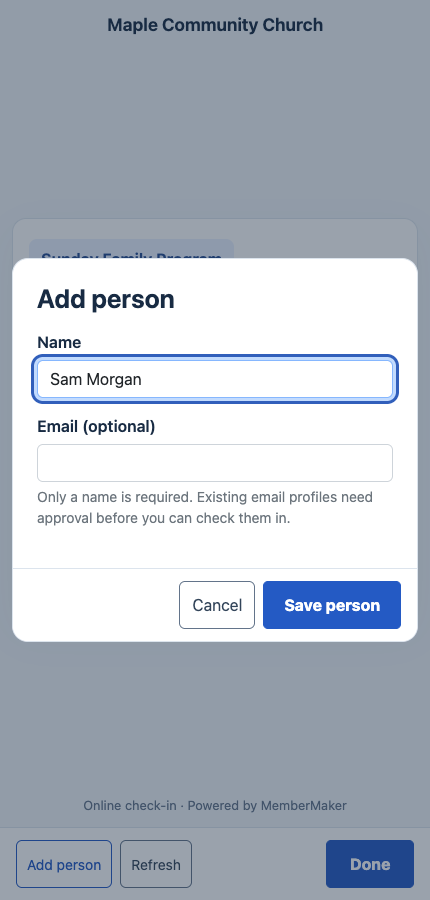
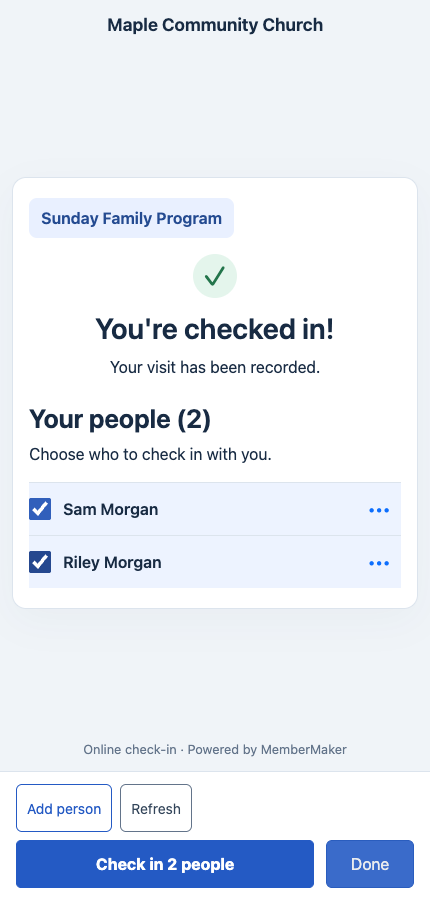
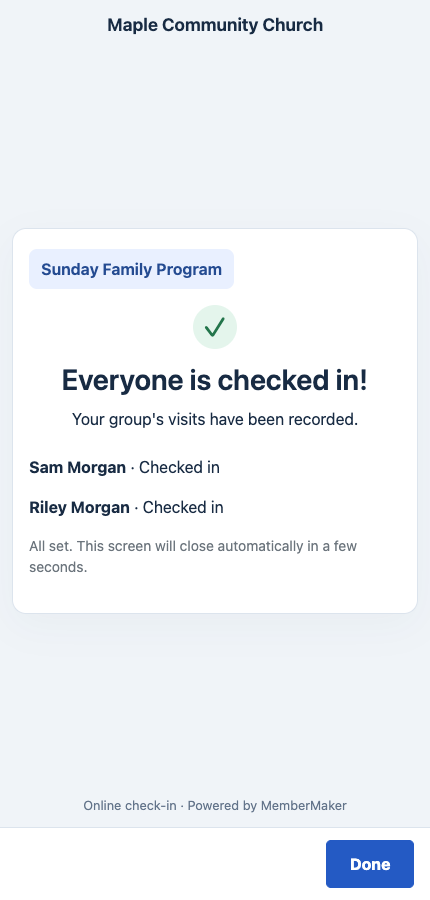
Actual web check-in captured with a fictional church and demo family. Tap any screenshot to view it at full size.
Explore group and family check-inYour web dashboard and kiosk app
Create your organization, build and publish kiosk questions, choose required fields, and configure identification and optional checkout. Apply a published question group to your organization’s kiosks from the dashboard.
Create a web accountInstall MemberMaker on your iPad or Android tablet, sign in to the same account, and select your organization. Open fullscreen mode so visitors can check in at your table or entrance.


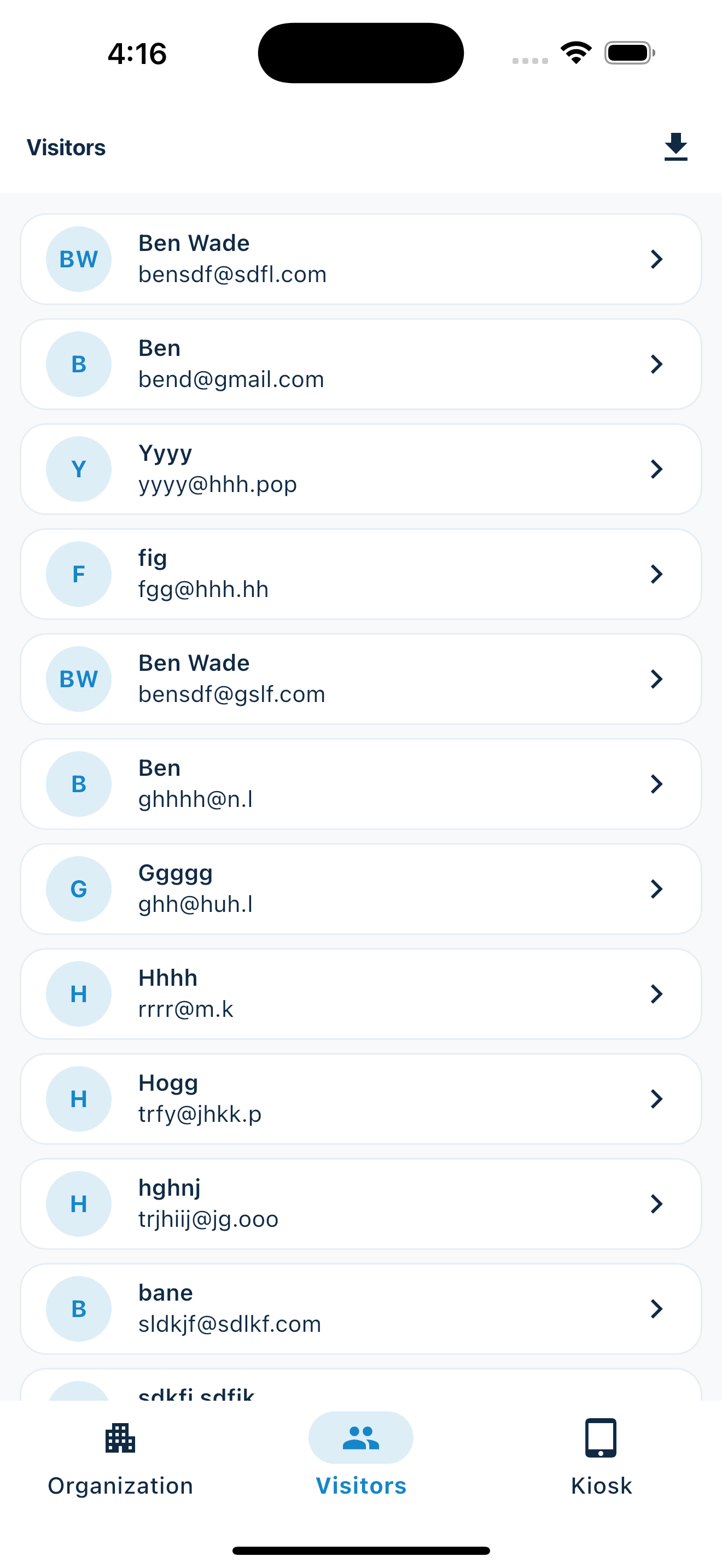
Keep the dashboard open to see arrivals and departures update automatically. Review visitor history, answers, and checkout status, then export records when you need them.

Customizable visitor sign-in kiosk
Create reusable prompt groups for different entrances, events, programs, or visitor types. Add custom questions, choose required fields and answer types, then apply the published form to this device or every kiosk in the organization.



Keep a front-desk form, event questionnaire, volunteer flow, or check-in-only experience ready to use.
Mix text, Yes or No, single choice, multiple choice, number, and date questions in the same group.
Change only the device in your hand or apply one published experience throughout the organization.
Published forms download to the device so visitor sign-in can continue without a connection.
Subscription cost
Cost is one part of the decision. Check that the product covers the tasks your organization needs before changing systems.
Simple visitor and attendance check-in using a supported device or browser. Hardware and internet connectivity are separate.
Core, Enhanced, and Pro plans, plus an Executive option. Check the official pricing page for your currency, feature requirements, and current terms.
Official Sign In App pricing model reviewed October 1, 2026. Currency, plan inclusions, hardware, and add-ons can affect the total. Verify current terms with the vendor. Official Sign In App pricing.
Side-by-side
This is a comparison of scope, not a claim that every feature has a matching replacement. Sign In App capabilities below are based on its official product and pricing pages.
| Capability | MemberMaker | Sign In App |
|---|---|---|
| Main use | Visitor and attendance records for small organizations, churches, clubs, and events | Visitor management, employee sign-in, and workplace operations |
| Check-in methods | iPhone, iPad, and Android app kiosk; browser link or QR code | Self-service kiosk, mobile, and QR check-in |
| Custom questions | Reusable prompt groups and configurable contact fields | Customizable fields and messages |
| Attendance and records | Repeat visits, optional checkout, dashboard history, and CSV export | Visitor activity, reporting, and workplace attendance capabilities by plan |
| Family attendance | Primary visitor checks in first, then selects saved people or adds them by name | Confirm your required family workflow with the vendor; no equivalent workflow is assumed here |
| Pricing model | No software subscription | Annual per-site subscriptions; advanced options vary by plan |
| Host notifications and badges | Not provided | Host notifications and badge printing |
| Employee and emergency workflows | Not an employee-management or evacuation system | Employee sign-in and evacuation management |
Official sources, reviewed October 1, 2026:Sign In App visitor management · Sign In App plans and capabilities · Sign In App workplace platform.
A practical switching checklist
A short pilot helps your team decide whether the simpler workflow meets its needs.
An honest fit check
Small teams can need very different things from the same sign-in screen.
Common questions
Yes. Share a check-in link in an invitation email or live meeting chat for an online workshop, church gathering, or club meeting. Attendees open it in their browser without an app or account. Associate the link with an event when Events is available, then review attendance and export CSV records. Virtual check-in requires internet and records submitted check-ins; it does not automatically detect meeting attendance or time spent in a call.
When your main need is guided visitor check-in, custom questions, repeat attendance, and export for a small organization. Sign In App also serves broader workplace requirements. Compare your actual workflow rather than assuming the products are interchangeable.
MemberMaker does not require a software subscription for its visitor check-in workflow. Devices and connectivity are separate. Sign In App offers annual per-site subscriptions; consult its linked official pricing page for current plans, currency, and terms.
Use a supported iPhone, iPad, or Android device as the shared app kiosk. With online check-in available for your organization, visitors can also open a web link or scan a QR code and complete check-in in their browser.
Yes. Enable Group check-in, then a parent completes the normal flow and selects saved children or adds them by name. Additional people do not need their own email or phone. The parent is counted too, and each selected person gets a separate visit for the same event. This does not provide classroom assignments or authorized pickup verification.
The app kiosk can use previously synced settings and save attendance locally until connectivity returns. It also supports synced linked people, name-only group creation, and eligible name edits offline. Email-based linking needs connectivity. The web/QR flow requires internet.
No. MemberMaker does not provide host arrival notifications, badge printing, employee-management workflows, or evacuation tools. If these are requirements, evaluate a workplace platform such as Sign In App against those needs.
There is no direct Sign In App migration integration promised here. Review the records you need to keep, retain your existing exports, and test MemberMaker with a small pilot before changing your live workflow.
Start in your browser
Create a web account to manage your organization. When you’re ready for guests, install the kiosk app on your iPad or Android tablet.
Set up your questions and kiosk settings in the web dashboard. See live sign-ins here once your kiosk is running.
Create a web accountReady to set up your kiosk? Download the app and sign in to the same account.