Welcome-team handoff
A practical church visitor follow-up checklist
Turn the details a guest chose to share into a respectful, owned next step—without pretending that a contact export is an automated follow-up system. When families attend together, keep children’s attendance separate and follow up through the adult’s chosen contact details.
Family and children's check-in
Welcome returning families without asking for every name again
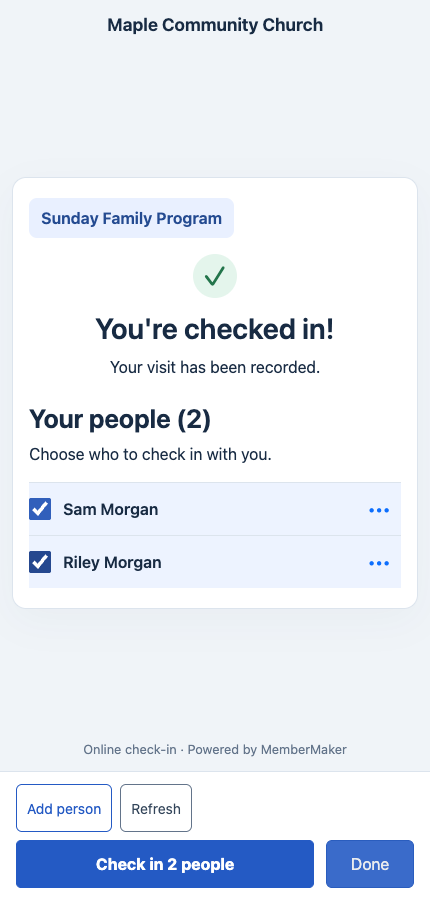
Group check-in saves linked children and family members for later visits. The parent checks in normally and selects who is present today, giving your team separate attendance records for the people actually attending.
Use the adult’s chosen contact details and permissions for your welcome-team handoff. A child added by name does not need an email or phone number, and their attendance is not permission to send them follow-up messages.
- Add children by name; no email address or phone number is required for additional people.
- Select saved family members after the parent's normal check-in confirmation.
- Record a separate visit for each selected person at the same event.
Enable Group check-in in your organization's Group/Family Checkin page or Kiosk Settings. It is off by default and works in the app kiosk and web/QR flow.
The parent is recorded as attending too. Group check-in records attendance; use your existing procedures for child registration, classroom assignment, and authorized pickup.
Before Sunday
Decide who owns each next step
A follow-up process becomes reliable when the church decides what it will ask, who may see the answers, and who responds before collecting the first record.
Permission and purpose
- Explain how the welcome team will use guest details
- Ask how the guest prefers to be contacted
- Make prayer requests and ministry interests optional
- Collect only information tied to a real next action
Ownership
- Name one person responsible for reviewing new guests
- Assign a restricted owner for prayer or care requests
- Choose who handles membership, group, and volunteer interests
- Define a response window the team can consistently meet
Handoff
- Choose which approved fields move into the church's existing system
- Document how corrections and duplicate records are handled
- Limit export access to the people who need it
- Set retention and deletion practices for exports and paper backups
After the visit
Use a simple, permission-aware follow-up sequence
Personal, accurate contact is more useful than an elaborate sequence nobody owns.
Review the record
Confirm the contact preference, first-time or returning status, selected interests, and whether a sensitive request needs restricted handling.
Assign the right person
Send general welcomes to the welcome owner and route group, membership, volunteer, or prayer requests to the responsible leader.
Make one useful contact
Thank the guest, answer the request they actually made, and offer one clear next step without adding unrelated appeals.
Review future visits
Use repeat attendance as context for a personal welcome while avoiding assumptions about membership or commitment.
Copy and personalize
Three starting messages for the welcome team
Replace bracketed text and match the tone of your church. Do not place sensitive prayer details in an ordinary message unless the person asked you to.
Hi [name], thank you for visiting [church] on [day]. We're glad you joined us. You mentioned [interest]; here is the most useful next step: [link or contact]. If you would rather not hear from us again, just let me know.
Hi [name], thank you for trusting our team with your request. [approved care leader] has received it and will follow the care process you selected. We will keep the details limited to the appropriate team.
Hi [name], it was good to welcome you back to [church]. If you'd like help finding an adult group, membership class, or upcoming event, reply here and our welcome team will connect you with the right person.
Know the boundary
Capture and export are not follow-up automation
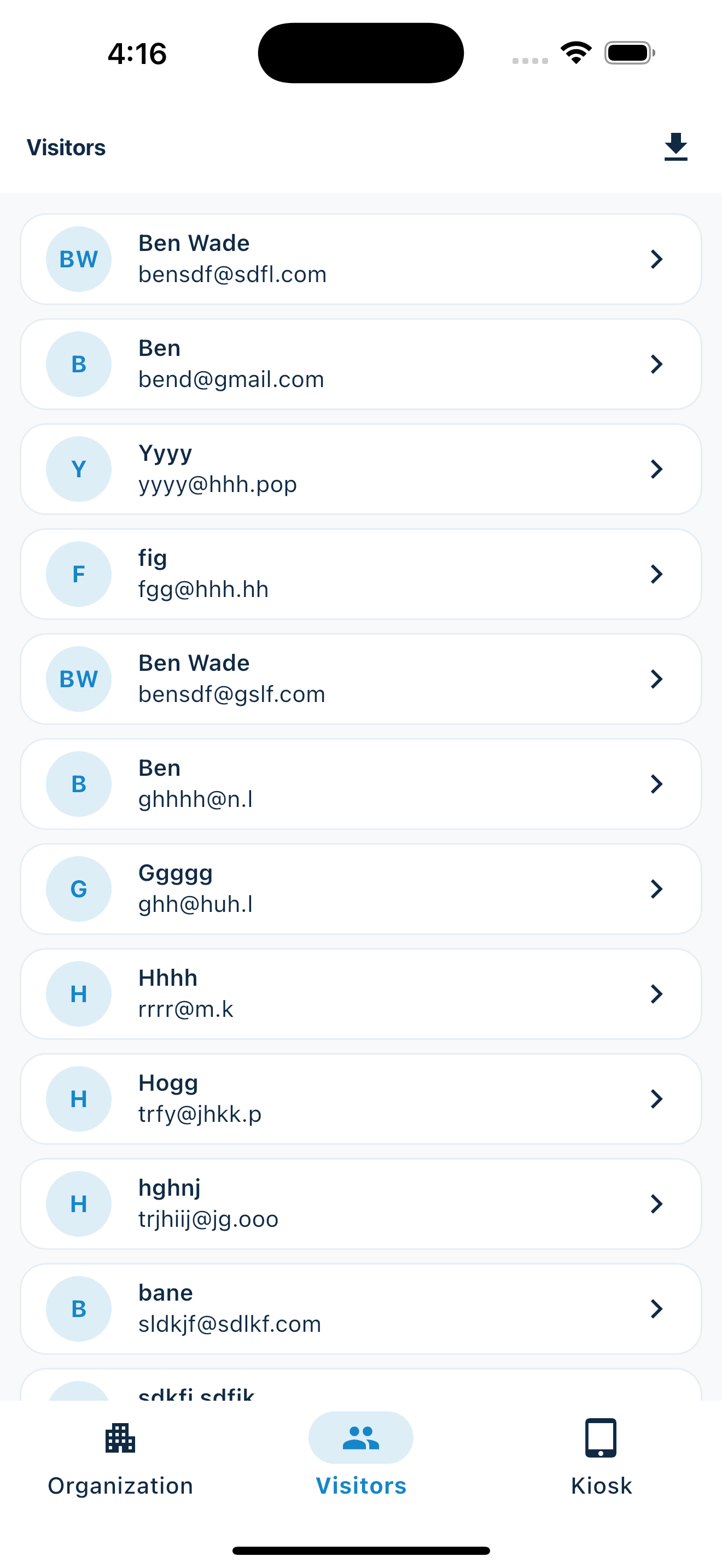
MemberMaker provides the visitor and attendance record. Your church remains responsible for permission, message delivery, pastoral care, and the system used to record follow-up work.
| MemberMaker supports | Use another approved tool or process for |
|---|---|
| Guided contact and custom-question capture | Automated email and text journeys |
| First-time and repeat visit records | Pastoral-care case management |
| Contact preference prompts | Consent policy and legal compliance |
| CSV export | Church management system imports and deduplication |
| Optional checkout and visit duration | Membership or spiritual-engagement scoring |
Put the checklist into practice
Use a guided check-in station at your next gathering
MemberMaker collects readable contact and attendance records on iPhone, iPad, and supported Android devices, then keeps them ready to review or export.
Set up your questions and kiosk settings in the web dashboard. See live sign-ins here once your kiosk is running.
Create a web accountReady to set up your kiosk? Download the app and sign in to the same account.
