Free printable attendance sheet
A printable attendance sheet for dance classes and rehearsals.
Use a clean sign-in sheet for an adult ballet class, dance workshop, or rehearsal. Keep one sheet per session, with enough room for names and arrival times.
- In-person and browser check-in
- Attendance organized by event
- Returning people, one visitor list
Dance Class Attendance Sheet Template for Adult Studios
Session: ____________________________________ Date: __________________
Instructor: __________________________________ Location: ________________
| Participant name | Check-in time | Notes (optional) |
|---|---|---|
Use one sheet per session. Store completed sheets securely; avoid writing sensitive information in shared notes.
Use the sheet, then simplify the next session
Print before participants arrive. Fill in the session details, record arrivals, and keep the completed sheet with your other attendance records. For digital attendance, create an event and let participants check in directly.
One event, one attendance record
From the first arrival to the last check-in
Create a separate event for each session you want to review independently.
Step 1
Create your event
Give the session a recognizable name. Add an optional date, time, and description. Dates are informational: they do not automatically activate or expire a session.
Step 2
Choose how people check in
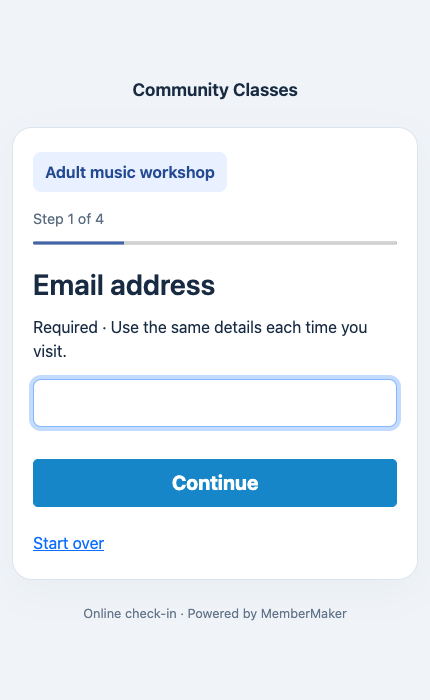
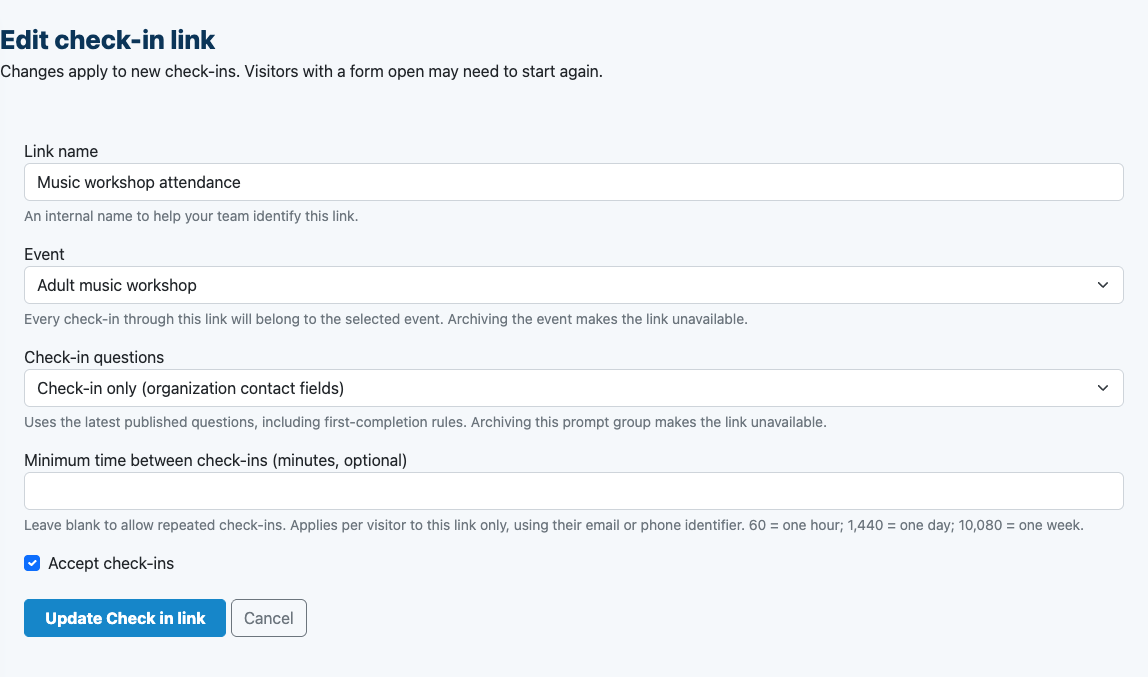
For in-person attendance, select the active event on each app device. For online attendance, choose the event when creating a web check-in link and share that link with participants.
Step 3
Review who attended
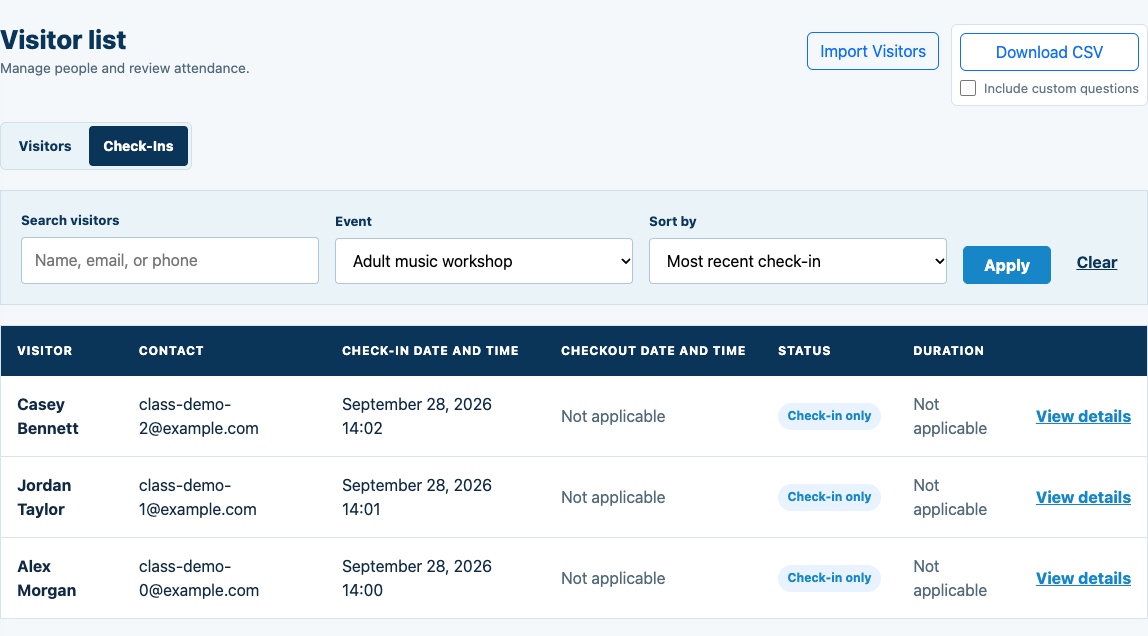
Use the dashboard’s Check-Ins tab and event filter to review the session’s recorded attendance. Export CSV when you need to work with it in a spreadsheet.
Event-specific setup requires Events to be enabled for your organization. Sharing web check-in links also requires online check-in to be enabled. Creating an account does not automatically enable these features.
Explore simple class attendance →The actual workflow
Choose the event. See its attendance.
Examples below use fictional participants in a local demonstration organization.
A familiar welcome for new and returning people
Bring your visitor list
Import names and emails from CSV, with optional phone numbers. Importing does not create visits or send emails.
Ask what you need
Use optional custom questions to collect relevant session information. Returning participants follow the flow’s existing completion rules.
Take your attendance with you
Export dashboard records to CSV. Include custom questions when you need the answers recorded on each check-in.
Designed here for adult and general classes. Each participant needs their own identifying email or phone. Use your existing tools for enrollment, scheduling, payments, and any participation or progression assessments.
Dance Class Attendance Sheet Template for Adult Studios: questions
Does the sheet need dancers’ contact details?
No. For a basic arrival record, names and check-in times are enough. Collect contact details separately only when you need them, rather than exposing them on a shared paper sheet.
Do returning participants have to start over?
The check-in flow looks up the participant using the configured email or phone identifier. Returning participants follow the information and question requirements for that flow. Each person needs their own identifying email or phone; shared family profiles are not part of this workflow.
Can I bring an existing participant list?
Yes. Import Visitors in the web dashboard accepts a CSV with required names and emails and optional phone numbers. Existing emails are skipped. Importing adds people without creating attendance or sending invitations.
Does an event date automatically open a class?
No. Create and select each session yourself. The app’s active event is selected independently on each device, and a web check-in link uses the event associated with that link.
Can I include custom questions in an attendance export?
Yes. Enable Include custom questions when downloading the dashboard CSV. Check-in rows contain answers recorded on that visit; missing answers remain blank.
Make the next check-in simple.
Start with your web account, then prepare your attendance workflow.

