Paper stops scaling across teams
Reception desks, programs, and events create separate visitor lists that are difficult to read, combine, and review consistently.
For enterprises and distributed teams
Bring visitor sign-in across your offices, locations, programs, and events into one workflow. Configure your forms, record arrivals and departures, and give your team a clear visitor history.
Start with a free introductory check-in allowance. Continued check-ins require a subscription. Your assigned offer sets the allowance and price.
Nonprofit organization? Ask about a special rate by opening a support ticket. Include your organization’s name and what it does. Sign in, choose your organization, then open Support → New support ticket.
Set up your organization in your browser, then prepare your check-in flow.
The middle ground
Give reception teams, program staff, and event organizers a consistent way to welcome visitors and keep useful records across your enterprise.
Reception desks, programs, and events create separate visitor lists that are difficult to read, combine, and review consistently.
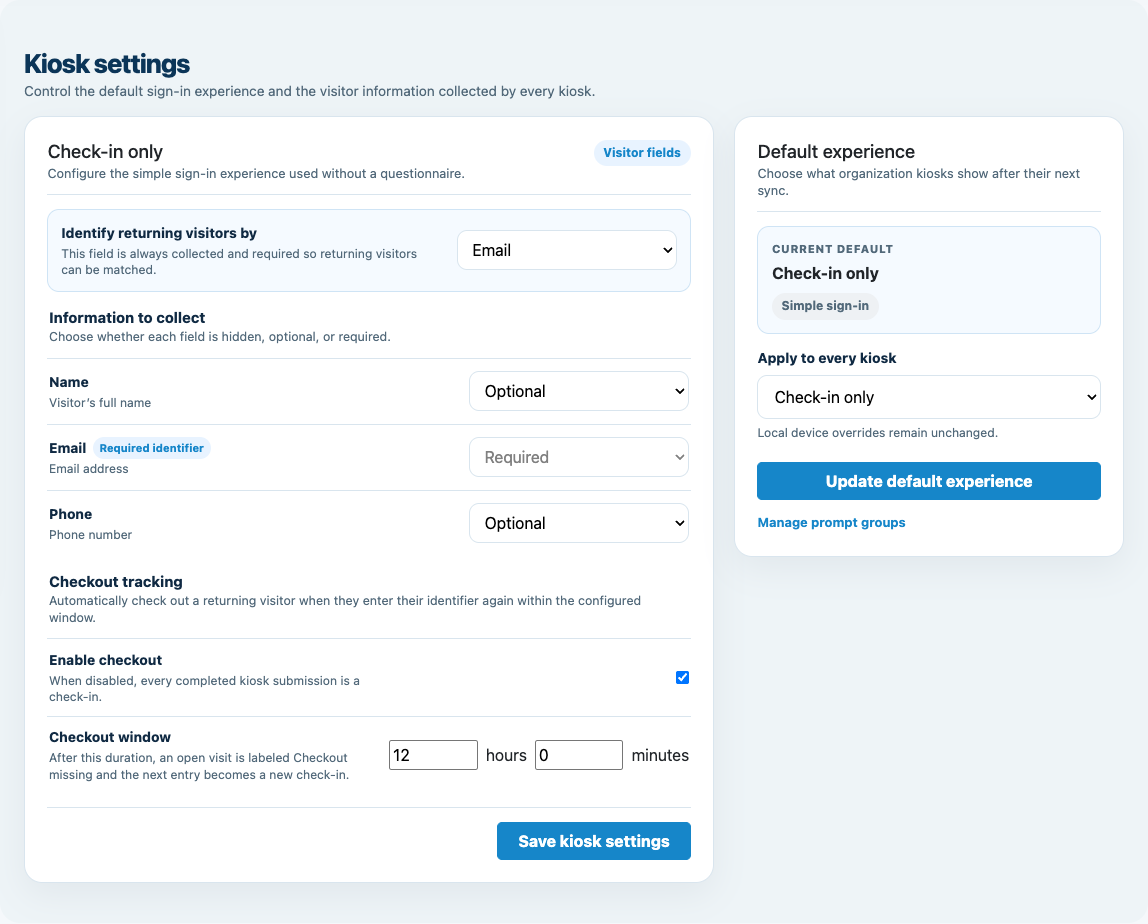
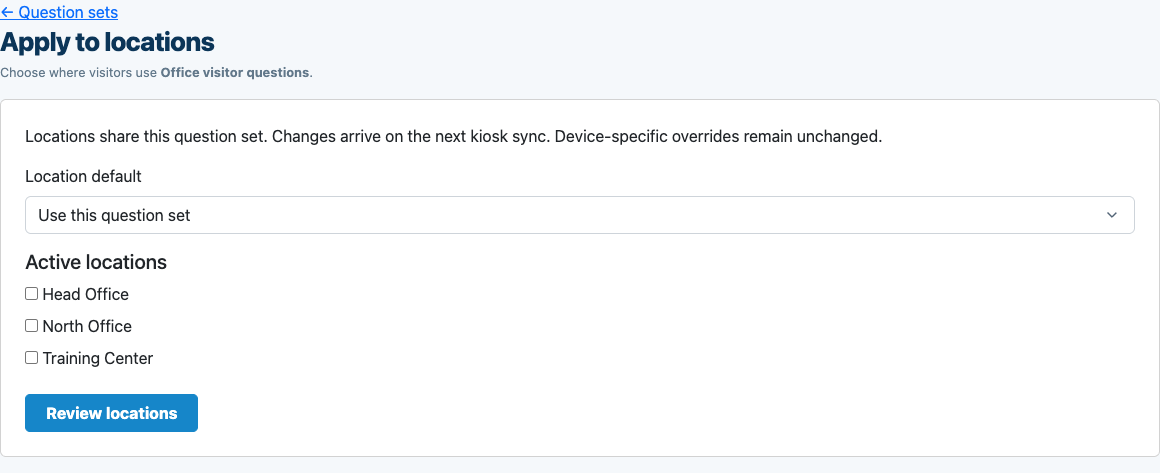
Reusable prompt groups and shared kiosk settings help teams ask the right questions without rebuilding each visitor flow from scratch.
If your real need is operational visitor attendance—not access control or compliance—a focused system can be faster to introduce and easier to own.
A repeatable rollout
Use familiar phones and tablets at the visitor-facing edge while administrators manage settings and records from the web dashboard.
Multi-location support
Manage visitor check-in across your offices, facilities, and programs without creating a separate account for each site. Switch locations in the dashboard or app while keeping each visit connected to where it happened.
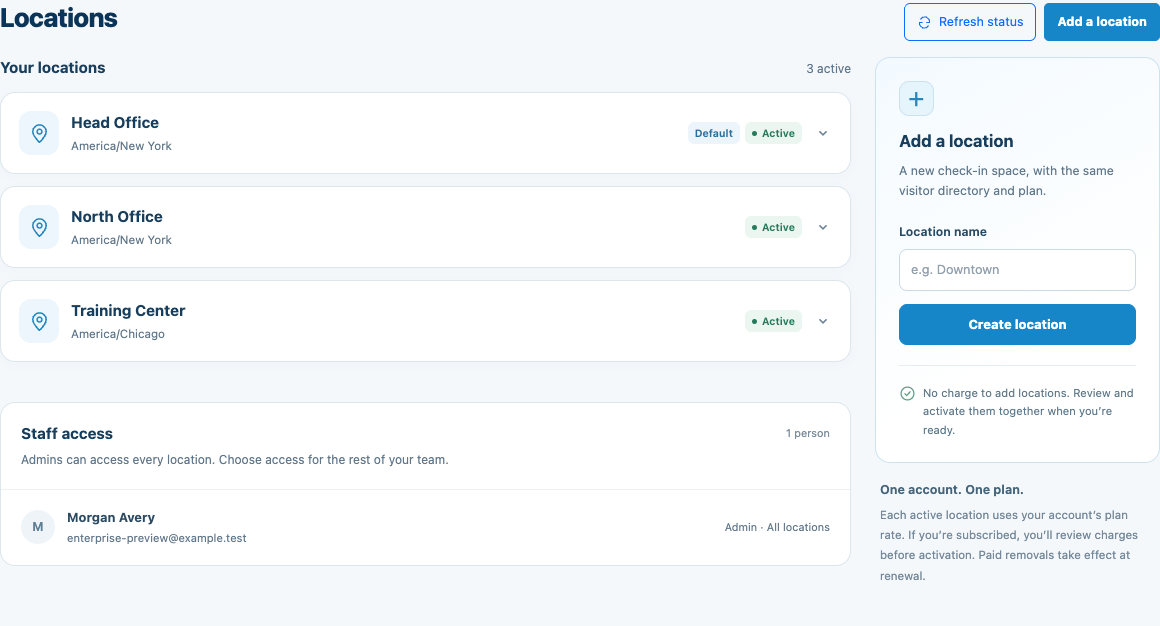
Set up offices, venues, or program sites within the same account. Your team can switch between the locations available to them.
Give each location its own time zone and published question set. Configure a visitor experience that fits the reception desk, training center, or event venue.
Review visitor activity and history by location. Keep local teams focused on their site while managing your locations from one account.
Where it fits
Use a consistent visitor workflow across offices, programs, and events, with forms tailored to each setting.
Run a consistent visitor station at non-secure reception areas while keeping each office’s records separated.
Give programs and service locations their own visitor flow while administrators switch between locations.
Collect attendee details, repeat visits, optional departures, and duration for internal programs and hosted gatherings.
Standardize sign-in across chapters, facilities, classes, and recurring programs without issuing specialized hardware.
An honest fit check
Choose the visitor workflow and controls your enterprise needs. Employee count alone does not determine the right fit.
Common questions
Enterprise visitor management helps teams organize guest arrivals, departures, and visit records across offices, locations, and programs. MemberMaker focuses on visitor attendance and configurable check-in forms.
MemberMaker is designed for organizations that need visitor contact and attendance tracking across their teams and locations. Choose based on the visitor workflow and required controls rather than employee count alone.
Yes. Add locations within an account and switch between them to manage location-specific check-in settings and visitor records. Separate businesses can keep separate accounts.
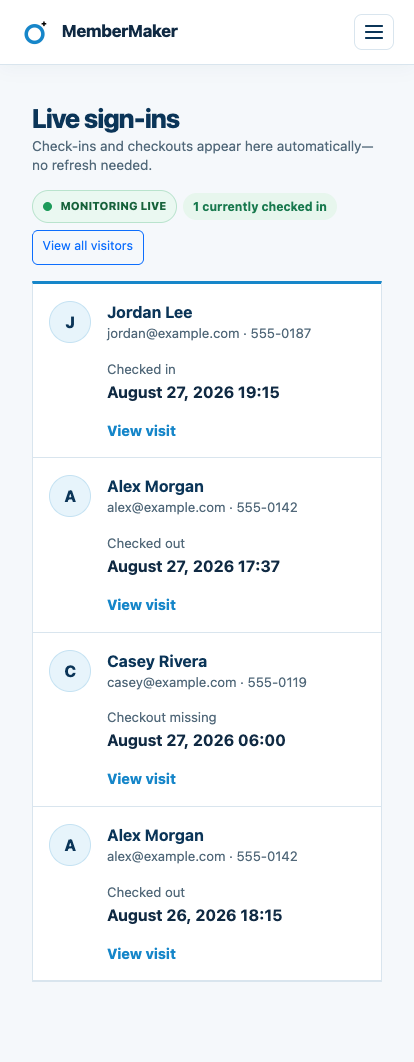
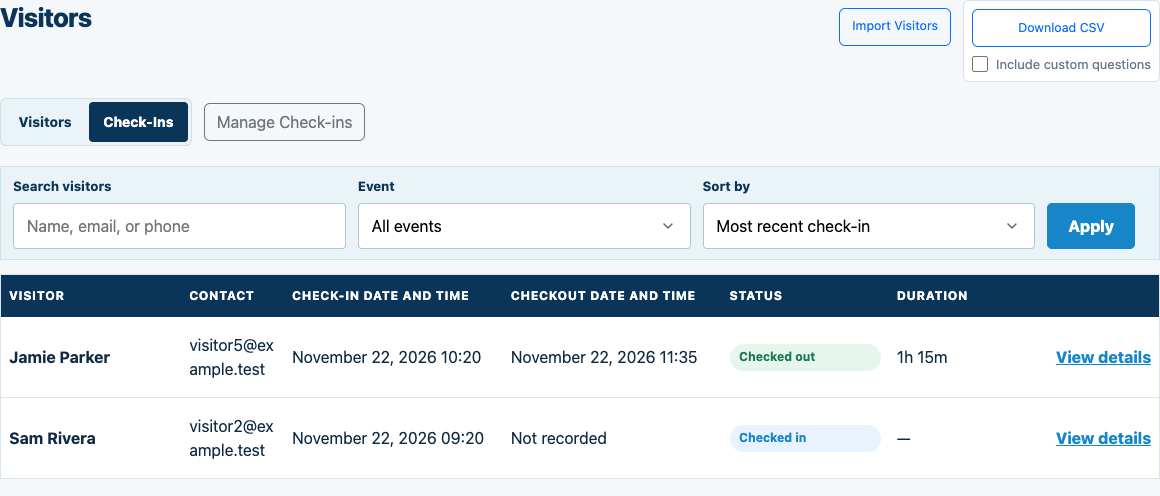
Yes. New check-ins and checkouts appear in the live dashboard without manual page refreshes, and administrators can open visitor history for status, timestamps, and duration.
Yes. Checkout is optional and disabled by default. When enabled, a returning visitor can enter the same configured identifier within the checkout window to close an open visit without repeating the full form.
Published kiosk forms and pending submissions can be stored on the device for later synchronization. Dashboard administration and publishing changes still require a connection.
No. MemberMaker does not verify identities, print badges, screen watchlists, unlock doors, notify employee hosts, or provide safety-critical emergency mustering. Organizations needing those controls should choose a dedicated enterprise visitor-security platform.
Start in your browser
Set up your organization online and prepare for your next check-in.
Create your account, then configure this workflow in your web dashboard.
Create a web account